Microsoft Dynamics 365 Business Central
Quick Start Guide Getting Started
To work in the most efficient way with Microsoft Dynamics 365 Business Central , it is important that you use the role centre that best suit your needs. Business Central offers more than twenty role centres. Finance users can use one of the following role centres: Accountant, Accounting Manager, Outsourced Accounting Manager, Accounts Payable Coordinator, Accounts Receivable Coordinator, Bookkeeper.
Sign in to Business Central using your credentials and select the appropriate role centre.
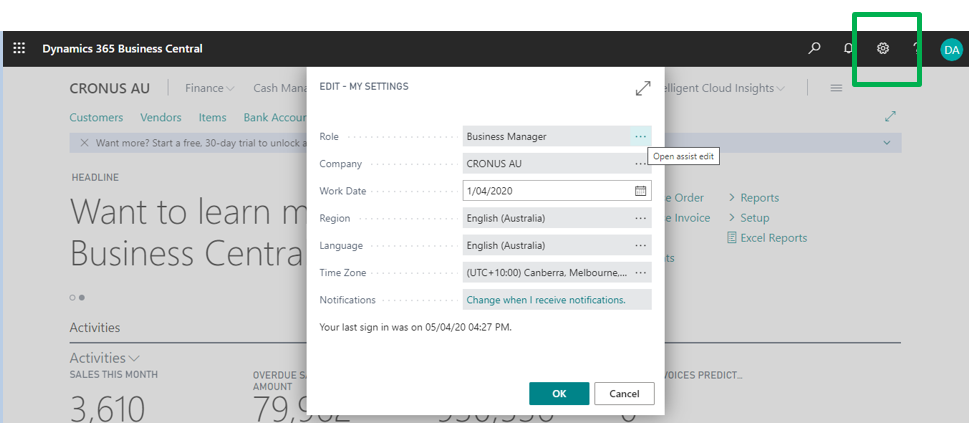
Edit My Settings
The “My Settings” page in Dynamics 365 Business Central is a user-specific control panel that allows you to personalize your work environment. It’s a quick and simple way to adjust key settings that impact your daily tasks without needing to involve an administrator.
You can access “My Settings” from the top right corner of the application. This feature allows you to:
-
Change your company: Switch between different companies if your user account has access to more than one.
-
Change your role center: Select a different role center to change your home screen, which affects the navigation and content you see.
-
Change your language: Instantly switch the display language for the entire application.
-
Change your region: Modify the regional format for dates, times, and numbers.
-
Change your time zone: Adjust the time zone to ensure all date and time stamps are accurate for your location.
This feature provides users with a great deal of control over their personal workspace, making it easier to adapt the system to individual preferences and work styles.
Working with Finance
Finance in Business Central involves working with at least one of the following types of master data: G/L account, Dimensions, Bank Accounts, Customers and Vendors.
G/L Accounts
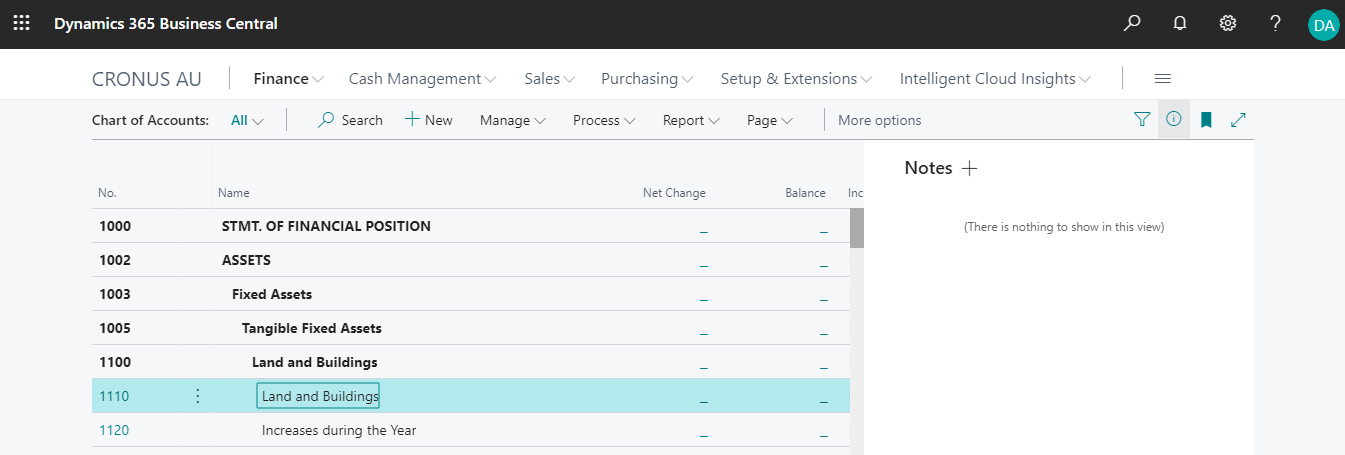
G/L accounts in the chart of accounts represent the financial structure of your organisation. These are already setup for you and should not be changed.
Dimensions
A dimension is the type of information that you want to add to your entry. For example, the cost controller wants to analyse expenses by department or project. Therefore, a dimension called Department or Project can be set up.

Bank Accounts
Important tasks performed by the finance team are processing payments and bank statements. Each bank account has its own card that contains different information. These are already setup for you and should not be changed.

Customers and Vendors
Organisations sell their items and services to customers. They also purchase items and services from vendors (suppliers). Users working in the finance team process customer and vendor invoices and payments. Furthermore, receivables management also might involve sending reminders to customers. After setting up customers and vendors, you can use them in documents and journals.