Connecting Room Displays to Dynamics 365 for Education
Introduction
Modern education and training environments rely on accurate, up-to-date room information, not just for planners, but for everyone using the space.
Recently, we worked on a lightweight Room Display solution that connects directly to Dynamics 365 for Education, allowing real-time room allocation data to be displayed on tablets or screens outside physical rooms.
The idea is simple: if a room is booked in Dynamics 365, that information should be instantly visible on the door (screen/tablet) without manual updates, spreadsheets, or disconnected systems.
How It Works
The following sections will give a brief overview of how the Room Display works and how it connects to Dynamics 365 for Education.
The Room Display
The Room Display is a secure, web-based application that reads live data directly from Microsoft Dataverse.
Each display:
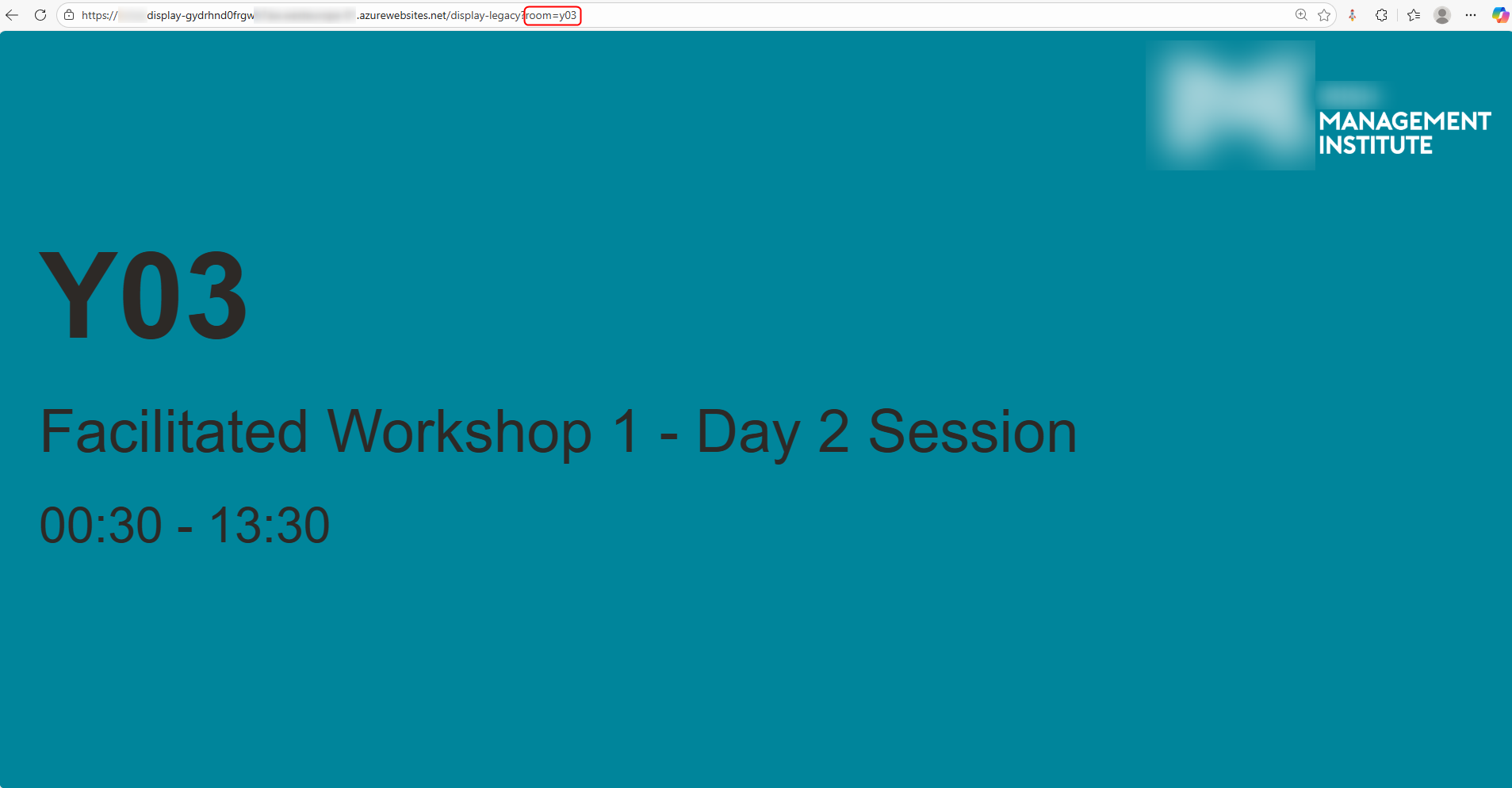
- Identifies the room using a simple URL parameter
- Retrieves the current (or next upcoming) room allocation from Dynamics 365
- Automatically refreshes to stay in sync with scheduling changes
All logic lives in Dynamics 365 and the display is purely a reflection of what’s booked.
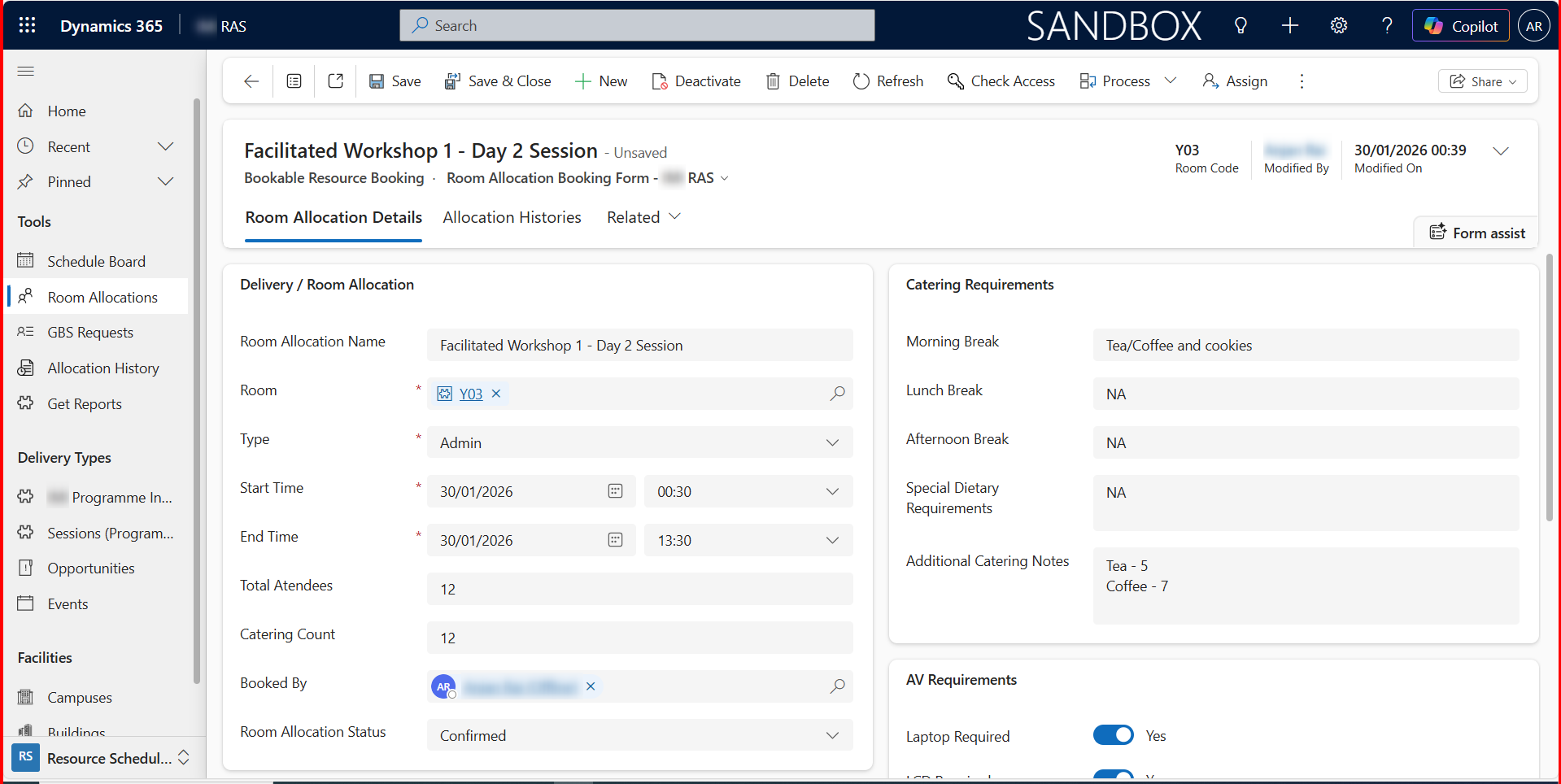
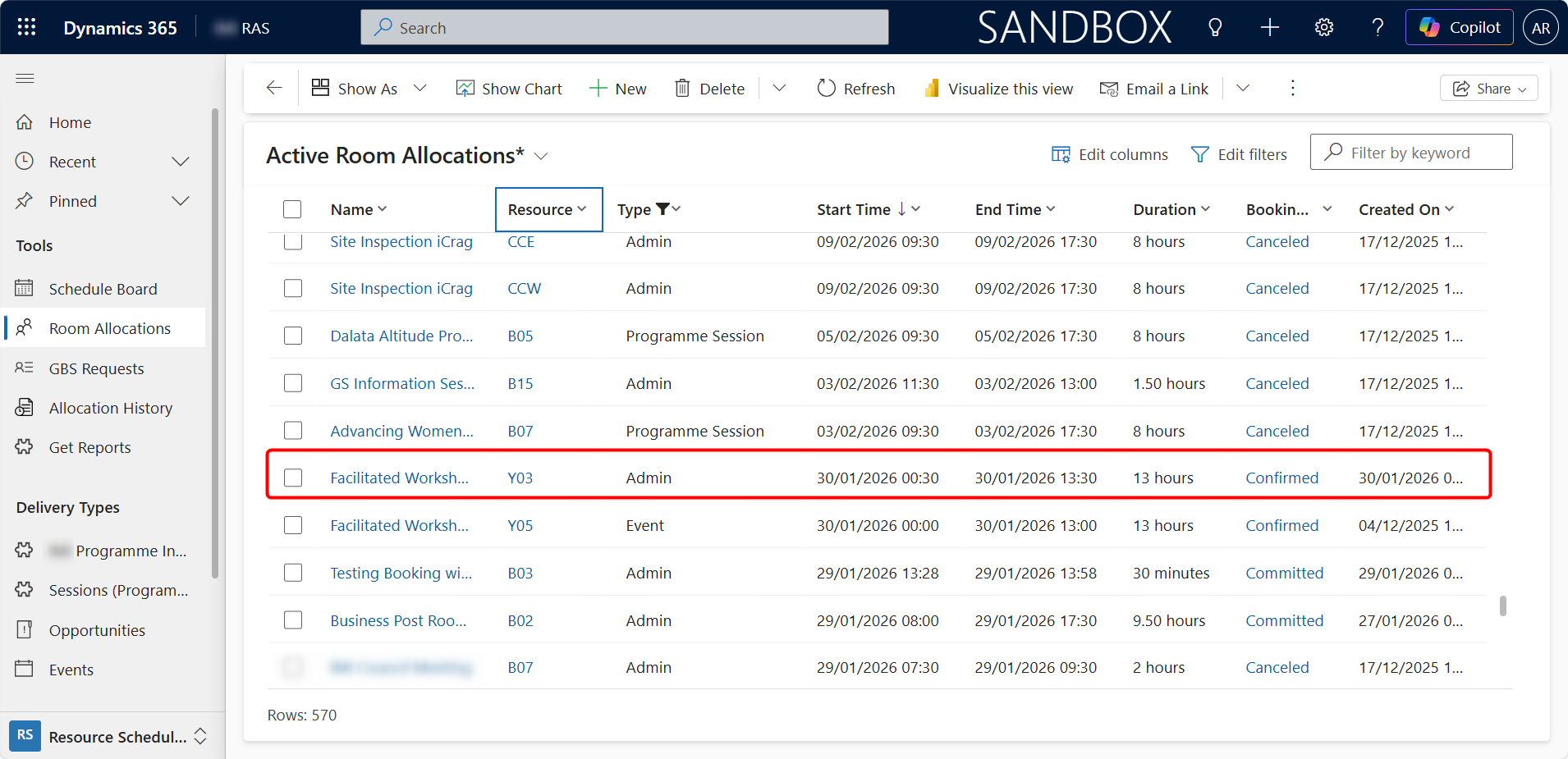
What Users See
On the screen outside each room, users can instantly view:
- Room code or name
- Class sessions, workshop, or event title
- Start and end times
- Other notes (when available)
If no booking is active, the display clearly shows that the room is free, removing uncertainty and interruptions.
A Lightweight, Scalable Approach
The key benefits of this solution are the following:
- Web-based and accessible from any modern browser
- Secure, using application-level access to Dataverse
- Read-only, ensuring data integrity
- Easy to scale across campuses, buildings, and rooms
It’s a great example of how Dynamics 365 for Education can support real-world, on-site operations.
Written By:
Janam Maharjan
Product Manager/Team Leader
Connect on LinkedIn