Reassign Records
How to Reassign User Records
When a person leaves a company, the records that were assigned to them can be reassigned to other users. To reassign records of a user, open the Users in the CRM as shown in the Assign and Manage a Security Rolesection.
Reassign a Record
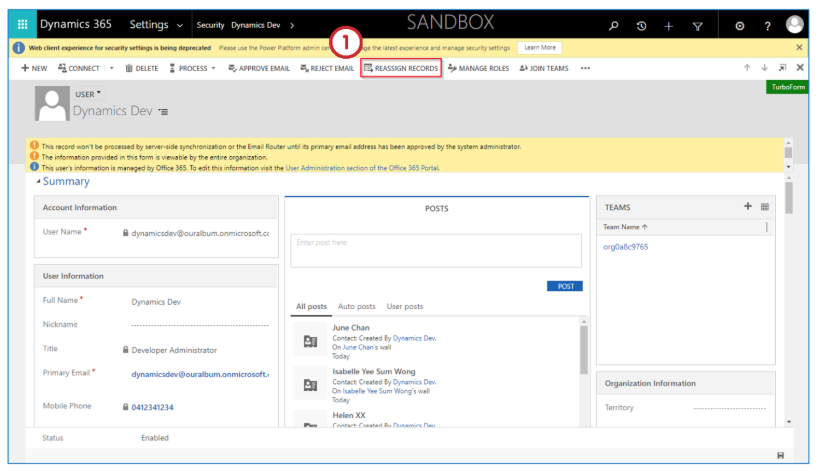
- After opening the user whose records must be reassigned, click on Reassign Records in the “ribbon”.
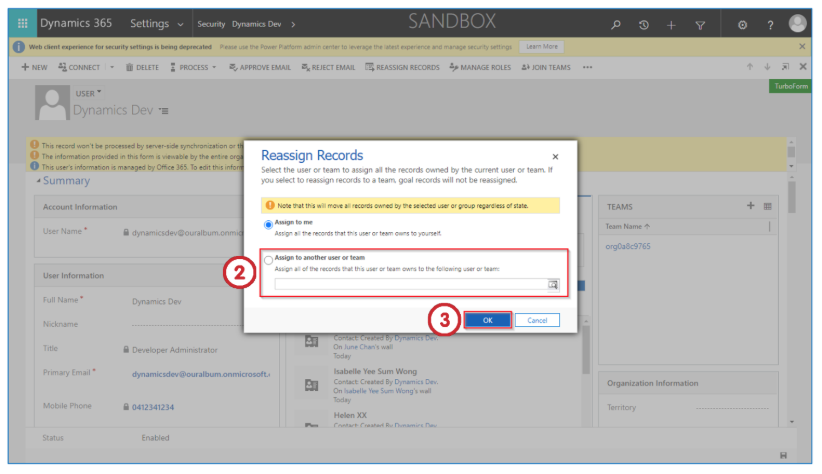
- The person reassigning the records can reassign the records to themselves by selecting the Assign to me option. These records can also be reassigned to another user or team by selecting Assign to another user or team.
- Click OK to save your changes.
Last updated on