Disabling a User Role
How to Disable a User Role
When a person leaves the company, their role must be disabled. To disable the roles of a user, open the Users in the CRM as shown in the Assign and Manage a Security Rolesection.
Disable a Role
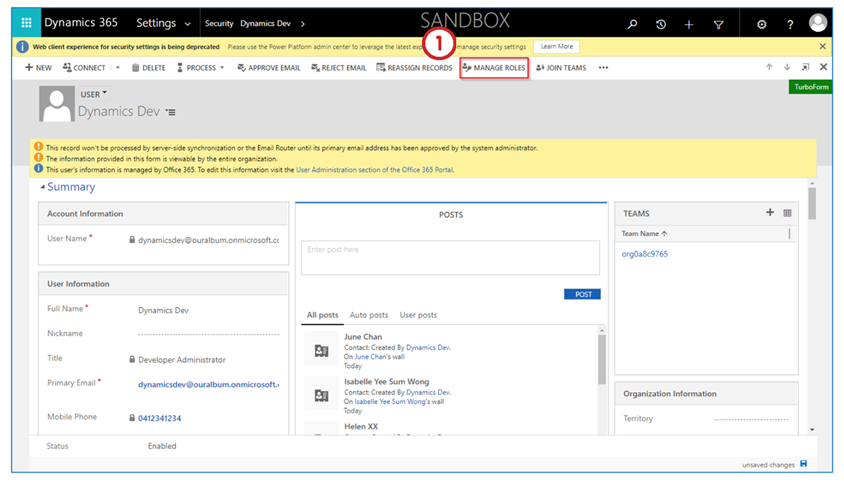
- After opening the user whose role must be disabled, click on Manage Roles tab in the ribbon.
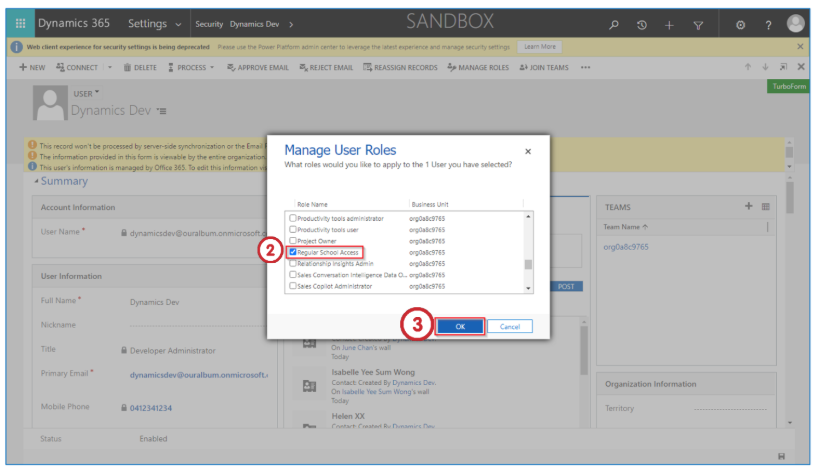
- Deselect all the roles by unchecking the blue tick.
- Click on the OK button to save your changes.
Last updated on