Changing a Security Role
How to Change a Security Role
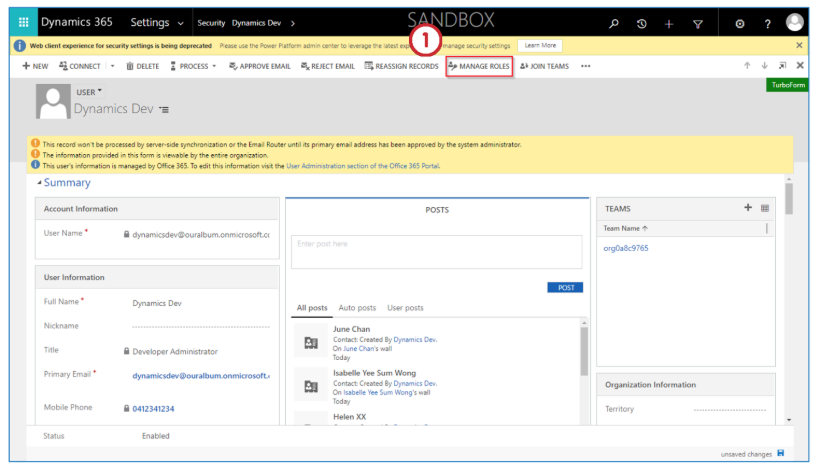
To change the security role of the user, open the selected user.
Change a Role
- Click on the Manage Roles option from the “ribbon”.
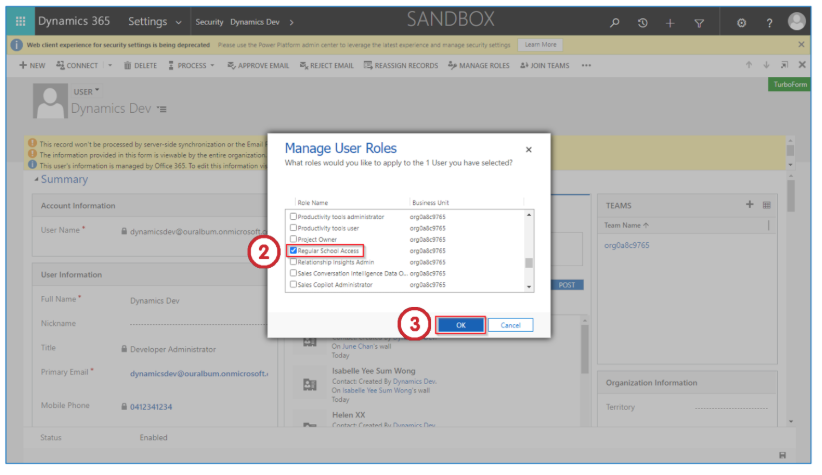
- Change the security role of the user according to their job role.
- Click the OK button to save the changes.
Last updated on