Microsoft Dynamics 365 Business Central Performing Reversals
How to Perform Reversals in Business Central
To undo a posted entry from journal posting, you select the entry and create a reverse entry (entries identical to the original entry but with opposite sign in the amount field). After reversing an entry, you must make the correct entry.
You can only reverse entries that are posted from a general journal line. An entry can only be reversed once.
Reversing Entries
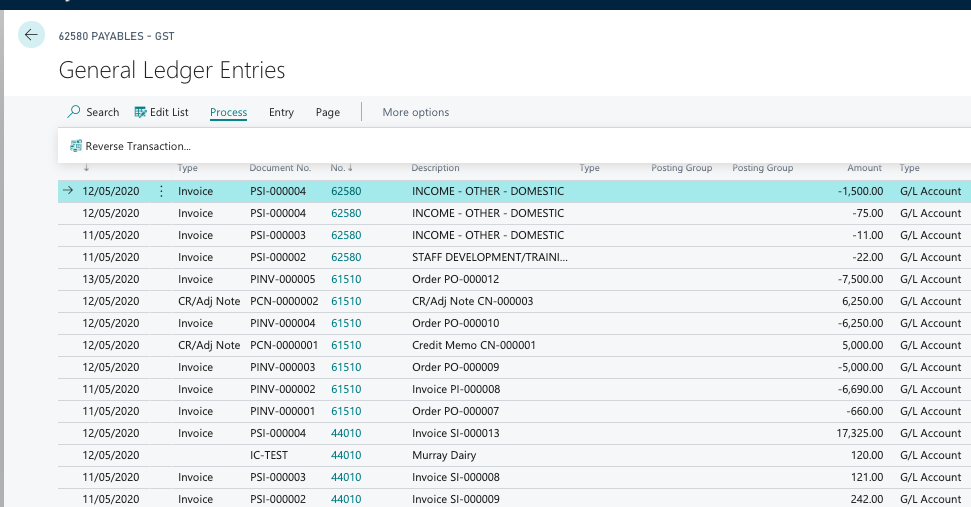
To reverse an entry, the General Ledger Entries pane will be filled with transaction that applied to ledger entries.
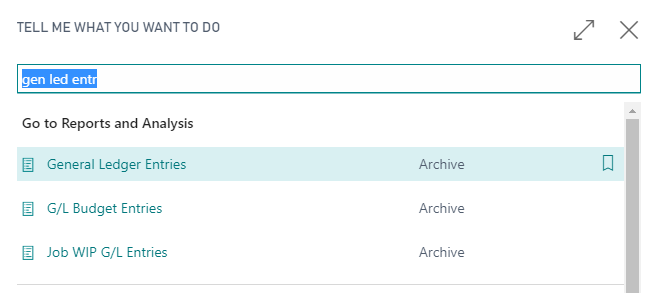
- Choose the “search glass” icon, enter General Ledger Entries, and then choose the related link.
- Select the entry that you want to reverse, and then choose the Reverse Transaction action. Note that it must originate from a journal posting.
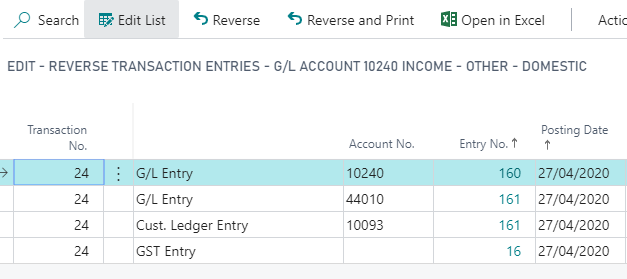
- In the Reverse Transaction Entries window, select the relevant entry, and then choose the Reverse action.
- Choose the Yes button on the confirmation message.
Last updated on