8. Enrollments
The Enrollment Process
Enrollments capture students who have started school and those who will be leaving. They are automatically generated from Opportunities and manually updated by users.
The Enrollment represents a formal, active record of a student’s participation in a specific course, program, academic year, or module offered by the educational institution. It signifies that the student has officially committed and is actively participating or registered to attend program classes.
An Enrollment record serves as the central hub for managing a student’s commitment to a specific educational offering. When a student is committed to the programs, they are enrolled in a course which is tracked in the system.
This entity is for managing the reality of a student’s academic journey, providing the institution with the data and tools needed to support students effectively and operate efficiently. Records can be viewed and edited for administration purposes.
8.1. Edit Enrollment
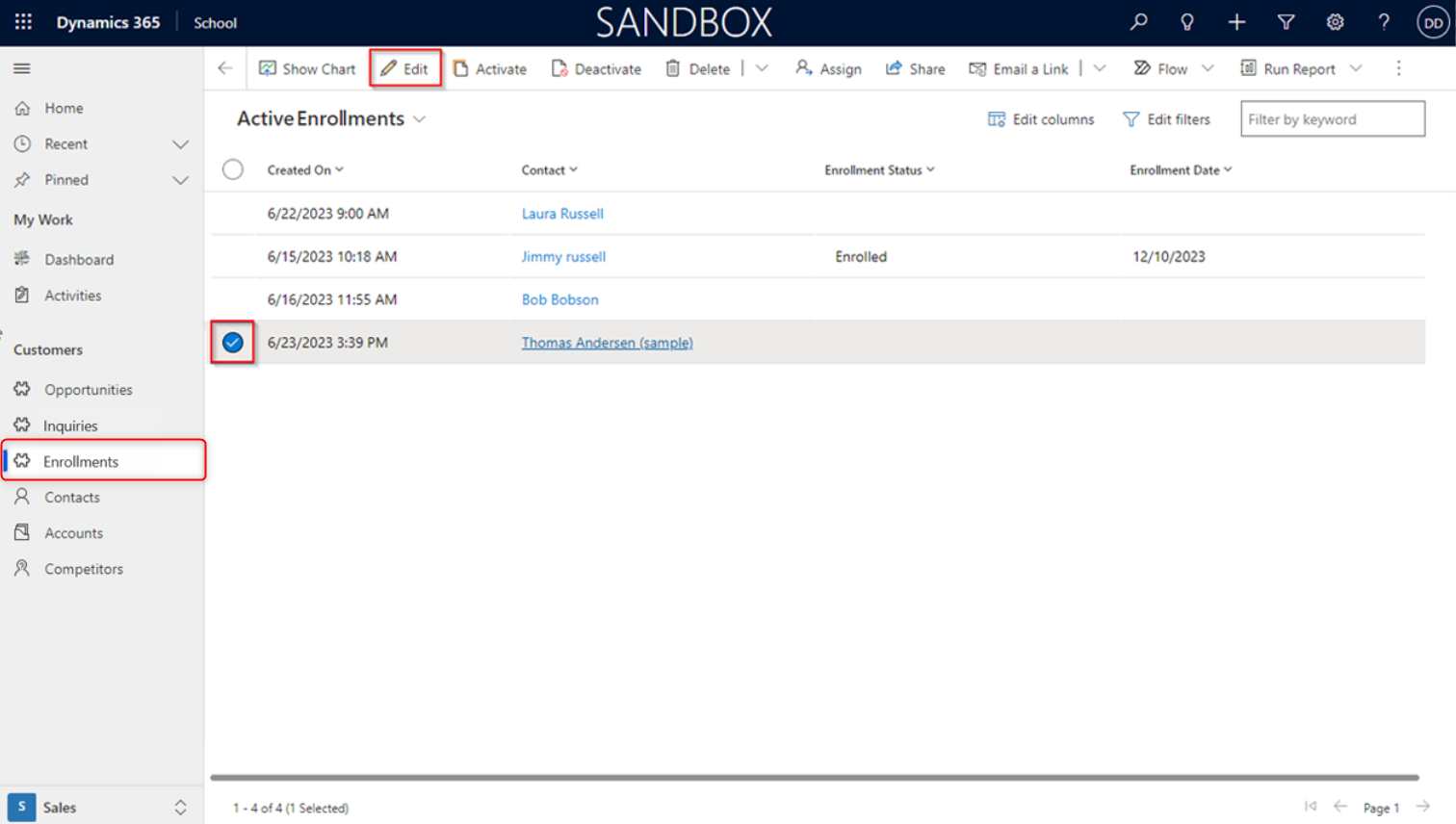
Navigate to the Enrollment section by selecting Enrollment under Customers from the menu bar on the left-hand side of the application window.
From the list of records, select the specific enrollment you wish to update by clicking its row or checking its box.
Once you have made your selection, click on Edit.
8.2. Edit Enrollment Record
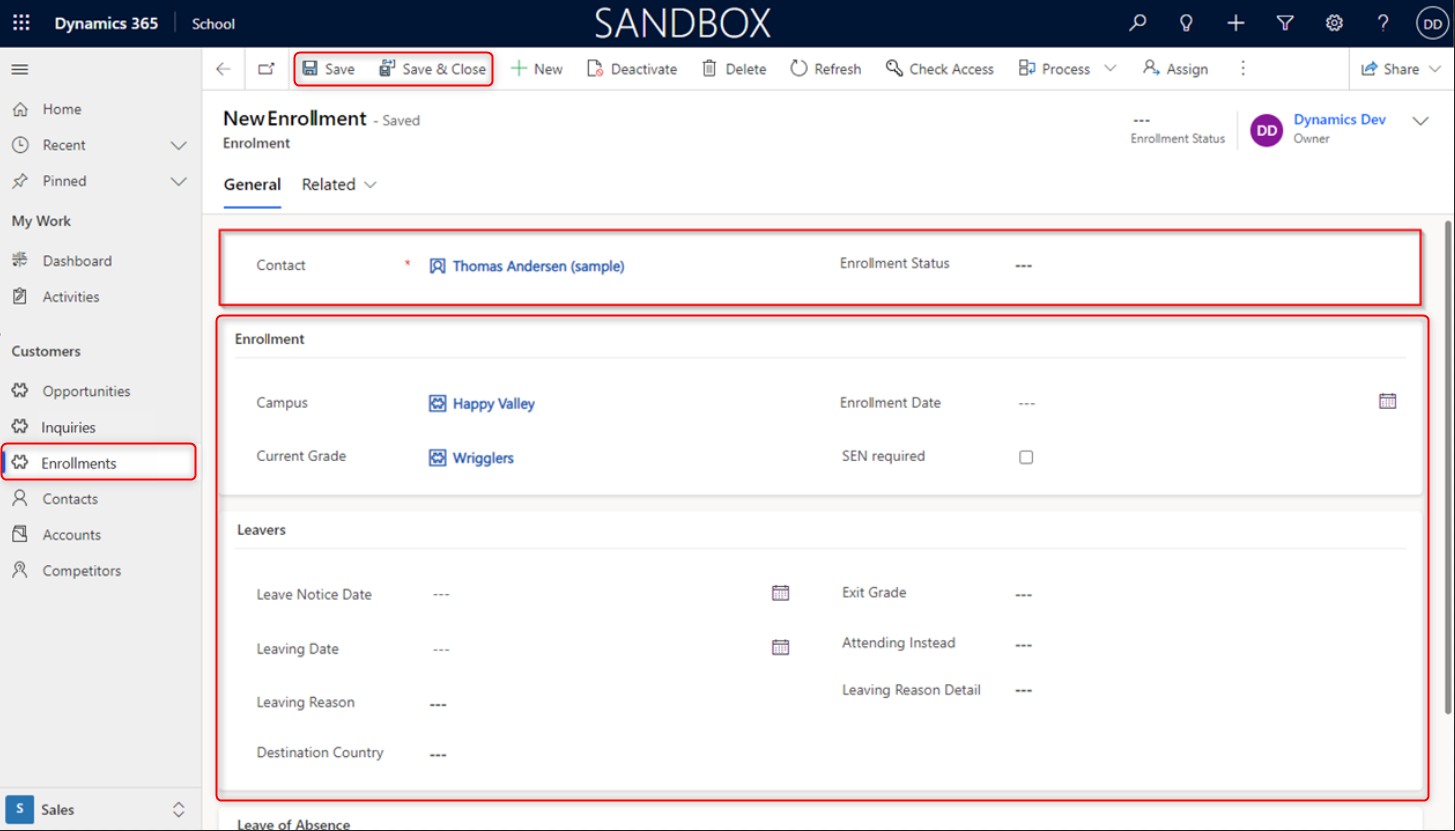
In the General tab, users can access and update a range of Contact details associated with the Enrollment record. Additionally, the General tab may include enrollment status fields that allow users to indicate the current status of the Enrollment. This could include options such as Withdrawn, Graduated, and Enrolled. Users can update this field to reflect the current state of the Enrollment, helping to track and manage the status of students within the system.
Under the General tab, the following are the available features:
Contact details associated with the Enrollment record, including fields such as Campus and Current Grade lookups, as well as the Enrollment Date.
Users have the ability to modify Enrollment details, including fields such as Campus and Current Grade lookups, as well as the Enrollment Date. This section typically includes fields such as Leave Notice Date, Leaving Date, Leaving Reason, Destination Country, Exit Grade, Attending Instead, and Leaving Reason Detail.
In the General tab, users can access and update Leaves details for the Enrollment record. This section allows users to manage and track information related to any periods of authorized absence or temporary leave taken by the student.
Then click Save or Save & Close, once done with all updates.