Microsoft Dynamics 365 Business Central Correct or Cancel Unpaid Purchase
How to Correct or Cancel Unpaid Purchase in Business Central
You can correct or cancel a posted purchase invoice. This is useful if you want to correct a typing mistake, or if you want to change the purchase early in the order process.
If you have already paid for products on the posted purchase invoice, you cannot correct or cancel it from the posted purchase invoice itself. Instead, you must manually create a purchase credit memo to reverse the purchase, optionally managed with a purchase return order.
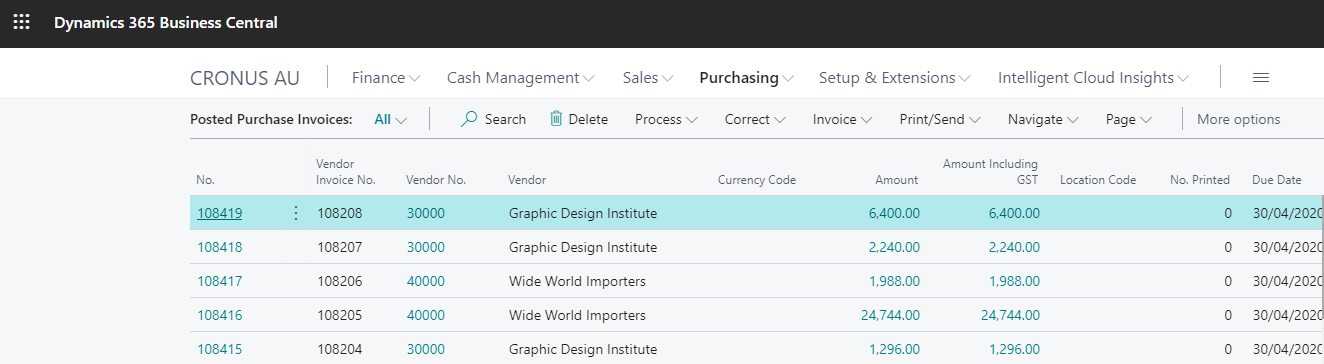
Correct Posted Purchase Invoice
To correct a posted purchase invoice:
- Click on the Search button, enter Posted Purchase Invoices, and then click the related link.
- Select the posted purchase invoice that you want to correct.
Note: If the Cancelled check box is selected, then you cannot correct the posted purchase invoice because it has already been corrected or cancelled.
- On the Posted Purchase Invoice page, click Correct. A new purchase invoice with the same information is created where you can make the correction. The Cancelled field on the initial posted purchase invoice is changed to Yes. A purchase credit memo is automatically created and posted to void the initial posted purchase invoice.
- Choose Show Corrective Credit Memo to view the posted purchase credit memo that voids the initial posted purchase invoice.
Cancel Posted Purchase Invoice
To cancel a posted purchase invoice:
- Click on the Search button, enter Posted Purchase Invoices, and then click the related link.
- Select the posted purchase invoice that you want to cancel.
- On the Posted Purchase Invoice page, click Cancel. A purchase credit memo is automatically created and posted to void the initial posted purchase invoice. The Cancelled field on the initial posted purchase invoice is changed to Yes.
- Choose Show Corrective Credit Memo to view the posted purchase credit memo that voids the initial posted purchase invoice.

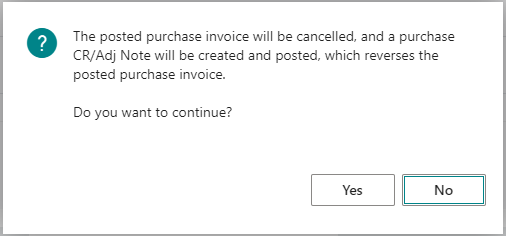
You will see the following dialogue box appear.
Last updated on