Automated Service Booking Budgets in Microsoft Dynamics 365 for NDIS
Introduction
Managing NDIS Service Booking Budgets doesn’t have to be manual or time-consuming. With the right setup in Microsoft Dynamics 365, organisations can automate the retrieval and visibility of Service Booking Budgets for NDIS participants, ensuring accurate and up-to-date information is always at hand.
Automating Service Booking Budgets
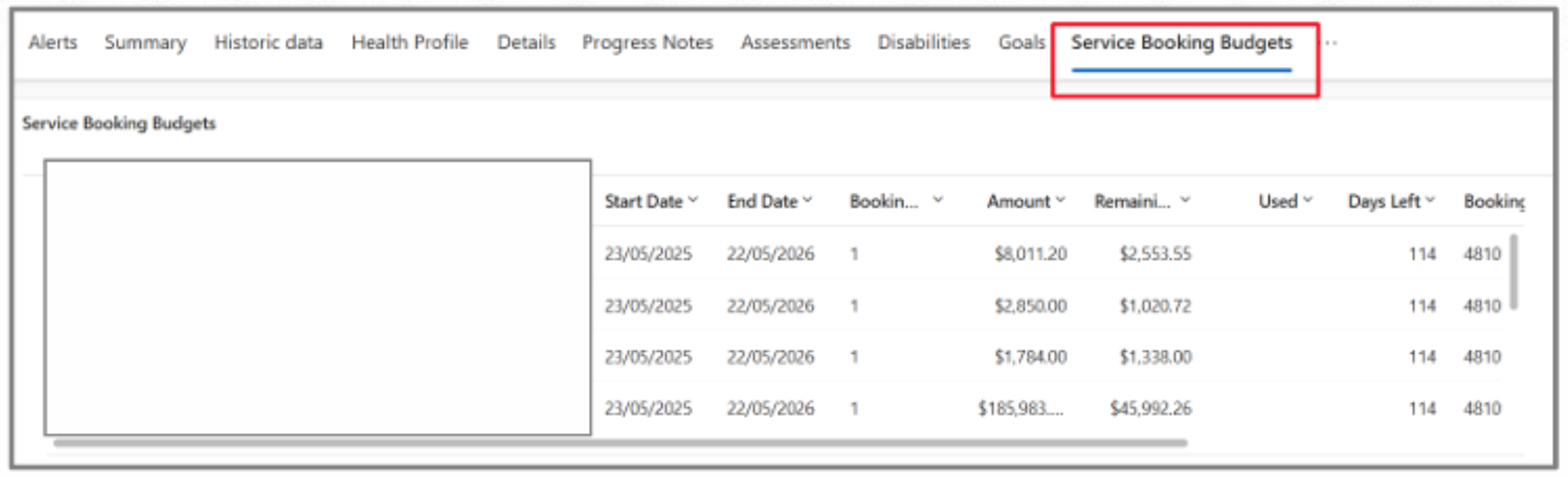
With Microsoft Dynamics 365, organisations can automate the retrieval and visibility of Service Booking Budgets by simply enabling NDIS Registered = Yes on the participant’s Account record. Once set, a scheduled background process runs daily to securely retrieve:
- Service Booking Budgets
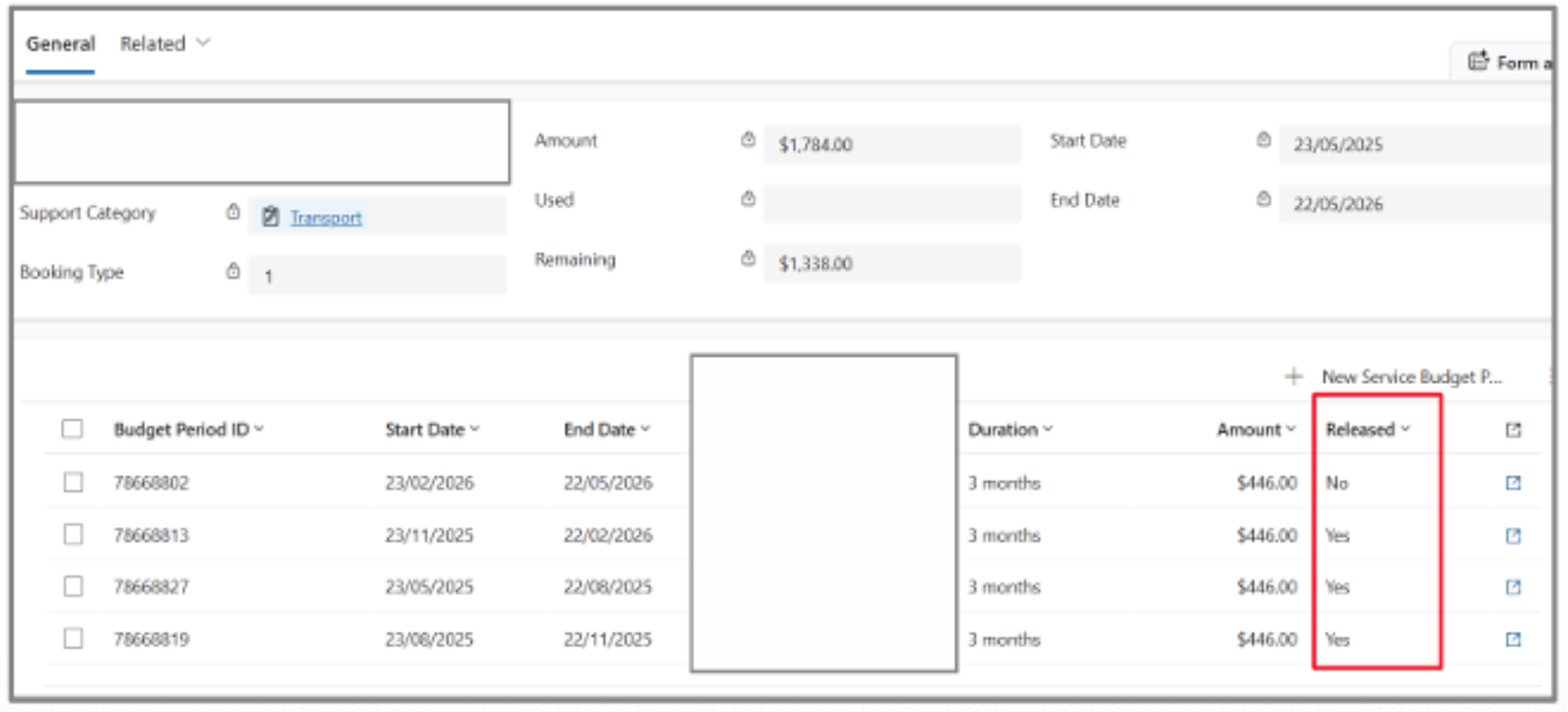
- Service Booking Periods (where applicable)
Benefits of Automation
This feature can help tremendously. This means your team can:
- Automatically keep participant budgets up to date
- View Service Booking Budgets directly from the Participant record
- Track budget amounts, usage, released amounts and remaining balances
- Monitor Service Booking Periods and release status for PACE clients
- Reduce manual intervention and minimise data errors
Automated NDIS Integration & Access Security
If access permissions prevent the retrieval, the system safely disables NDIS registration until resolved — helping avoid repeated unauthorised requests and protecting the NDIS integration.
It’s a native, automated capability that streamlines budget management while giving teams real-time visibility inside Microsoft Dynamics 365.
Conclusion
If your organisation is looking to simplify NDIS budget management and improve operational efficiency, we’d be happy to help you explore what’s possible.
Written By:
Sachish Maharjan
Power Platform Solution Architect
Connect on LinkedIn