Microsoft Dynamics 365 NDIS Bookings
Bookings in NDIS
Bookings in dynamics refer to Shifts. They can be viewed directly from the Bookings tab from the site map.
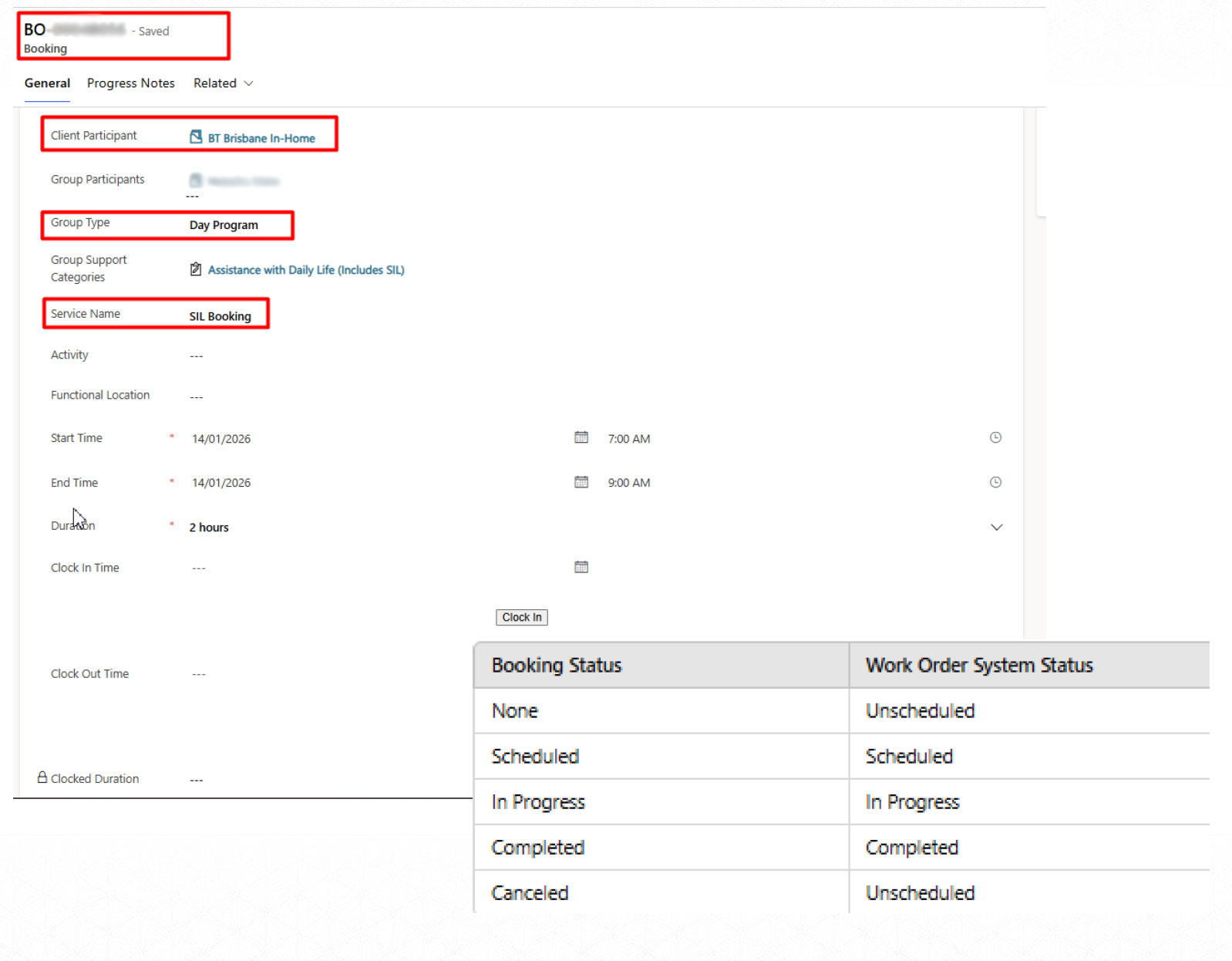
Booking & Work Order status are interlinked. Which can be depicted from the table.
The system is planned in such a manner that the bookings will be created automatically. The rostering team would manage exceptions on an individual level.
Initially, the bookings were created in DRAFT state. And with each Rostering Cycle (Fortnight) the team will release the Bookings to the Support Workers, by updating the booking status as SCHEDULED. Also, before changing them to SCHEDULED, they will update the bookings for any time, duration, and resource change.
Bookings — Progress Notes
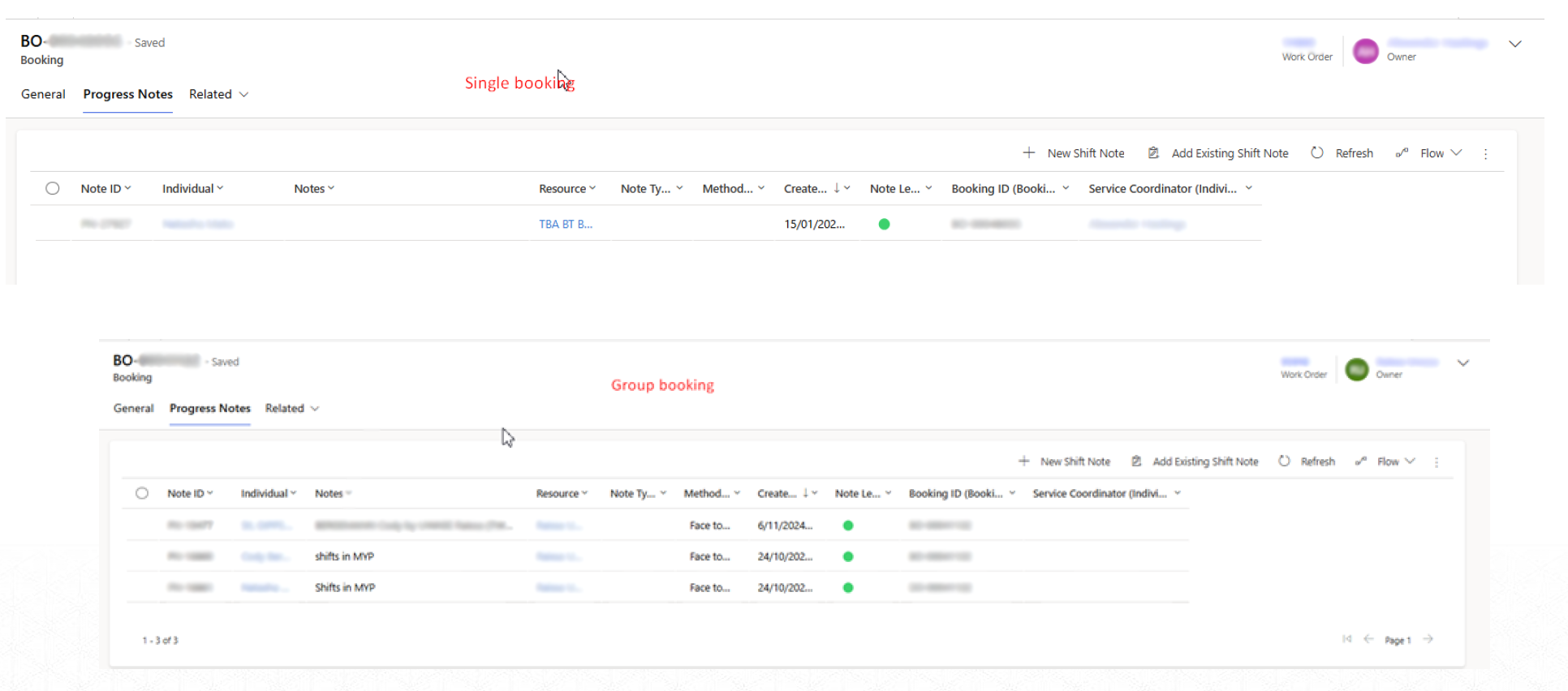
Irrespective of the type of Booking, each Booking will be created with the PROGRESS NOTES. The Support Workers would only be required to go to these Progress Notes and update these notes as per the requirements.
Updating the notes is also important from the aspect of completing the shift.
Bookings — Travel Charge
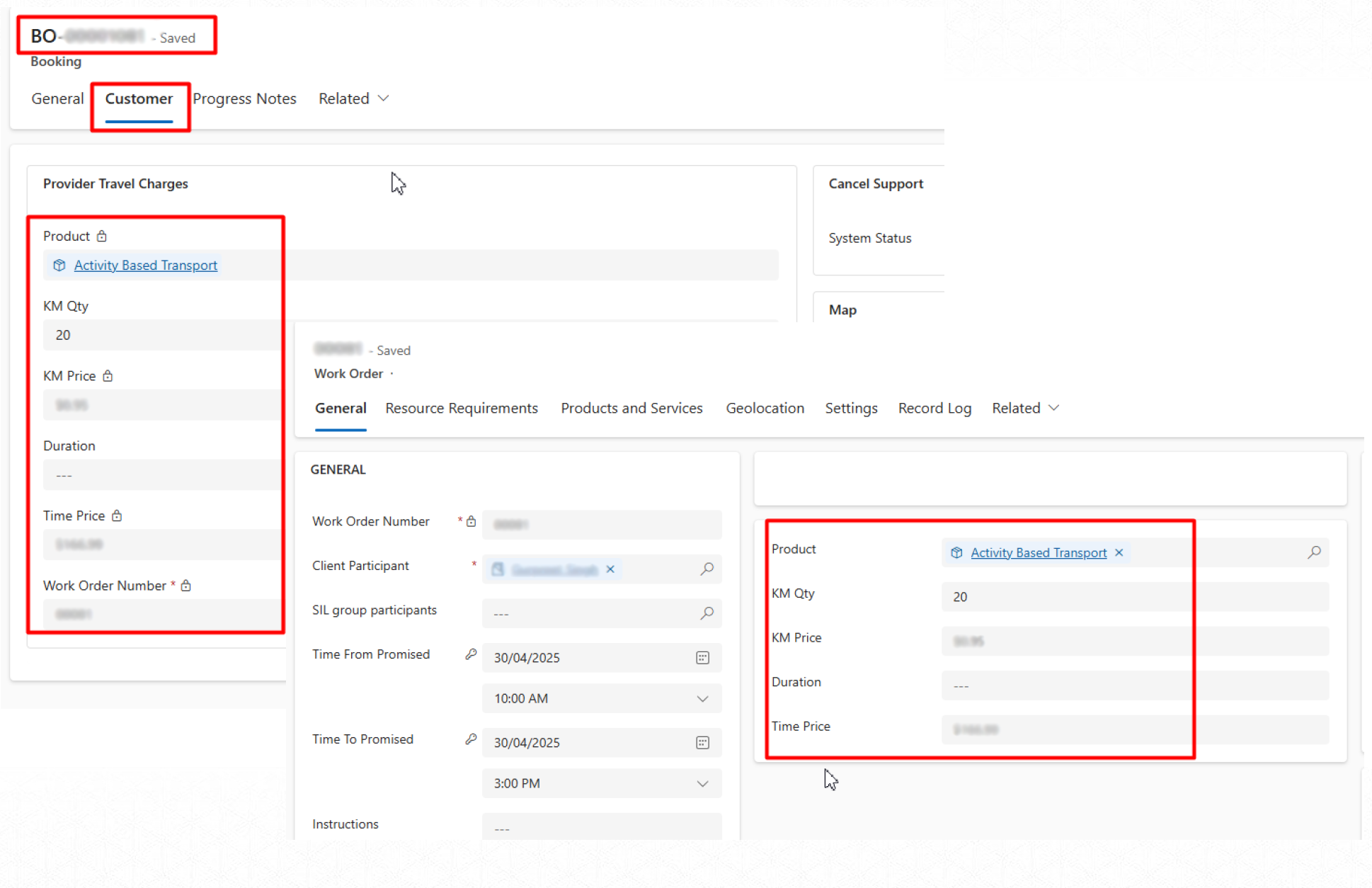
We have already covered adding the Travel Charge in the Quote Booking Setup / Agreement Booking Setup. Same data will be copied over to the individual Work Order / Booking for each of its instances. But that will only drive the Charges that a Participant needs to incur. Basically, that will be formulated as a line item on the Participant invoice.
The same details will be used to create a line item on the RCTI invoice for the Users.