Microsoft Dynamics 365 NDIS Participant Invoice
Participant Invoice
The System will be generating 1 Participant invoice per Agreement per Week.
Services — Community Participation, Daily living, SIL
For these services, the invoicing is triggered based on the POSTED Work Orders. System will run an automated process every Monday to look for these records which are from the previous week and group them based on the Agreement and create 1 record per Agreement.
Automated Process Time — The flow is to run every Monday 10:15 AM (Brisbane time)
Service — Support Coordination
For this, the system will look for the transaction records generated once the Appointments are completed. Group them by the Agreement and only pick the ones which belong to the appointment from the previous week. And create 1 invoice per Agreement.
Automated Process Time — The flow is to run every Monday 10 AM (Brisbane time)
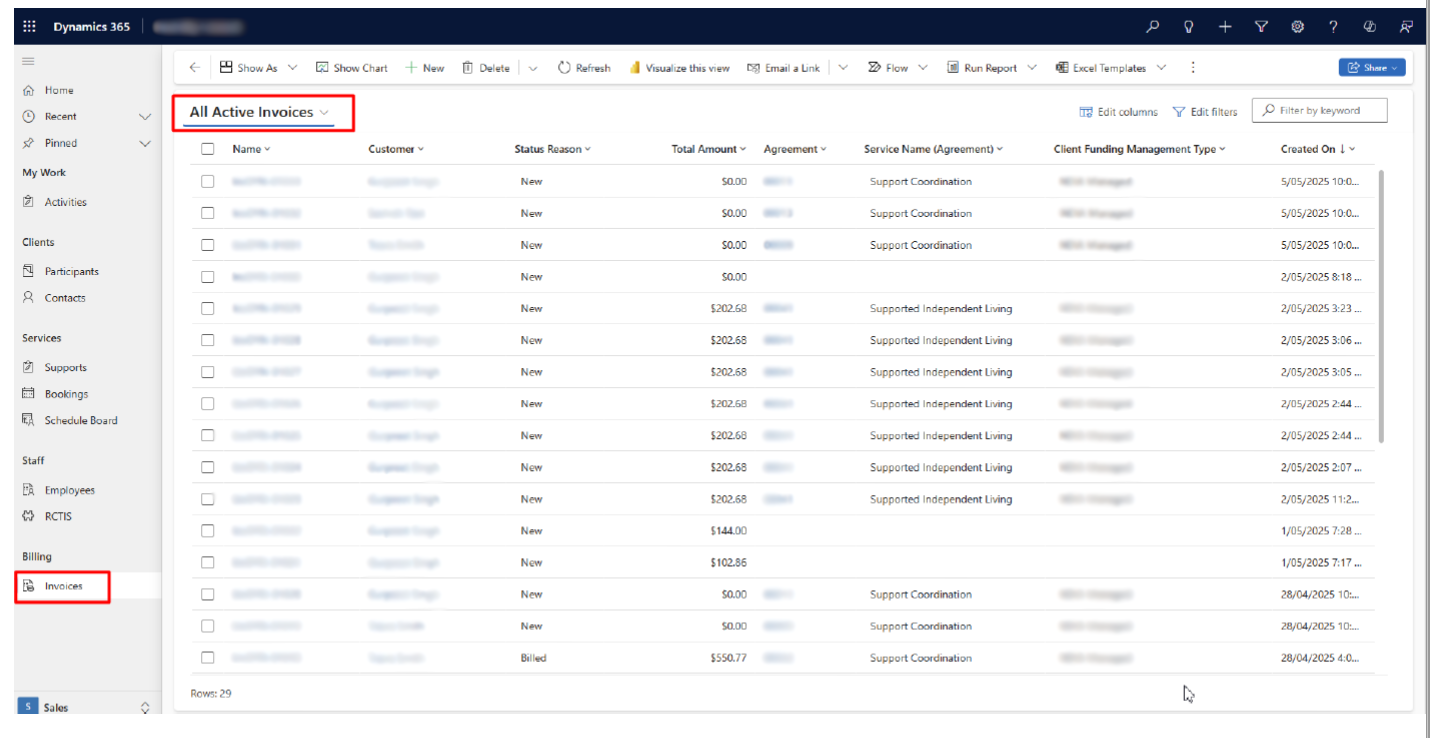
To access the Participant Invoices, users need to access the Invoice tab from the Site map. All the invoices generated in the system will be listed.
Participant Invoice — Invoice Export
To export the Invoice from Dynamics, we got two options — either we can download as a PDF file or as a WORD file by doing the following steps:
-
Navigate to the Invoice record.
-
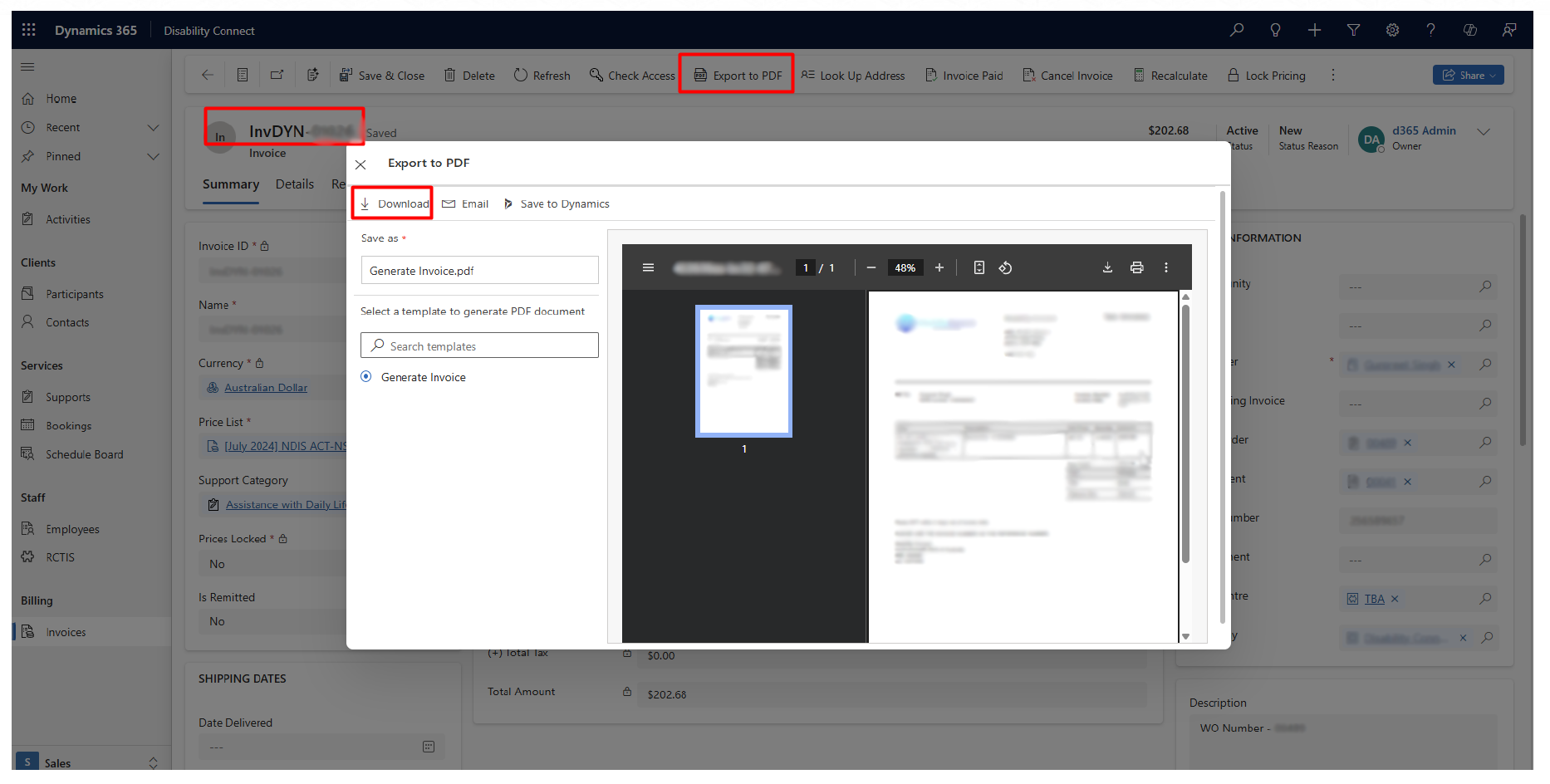
Click on the “Export to PDF” button. It will generate the Invoice in a PDF format and then download it.
User can even send the invoice via email directly from here.
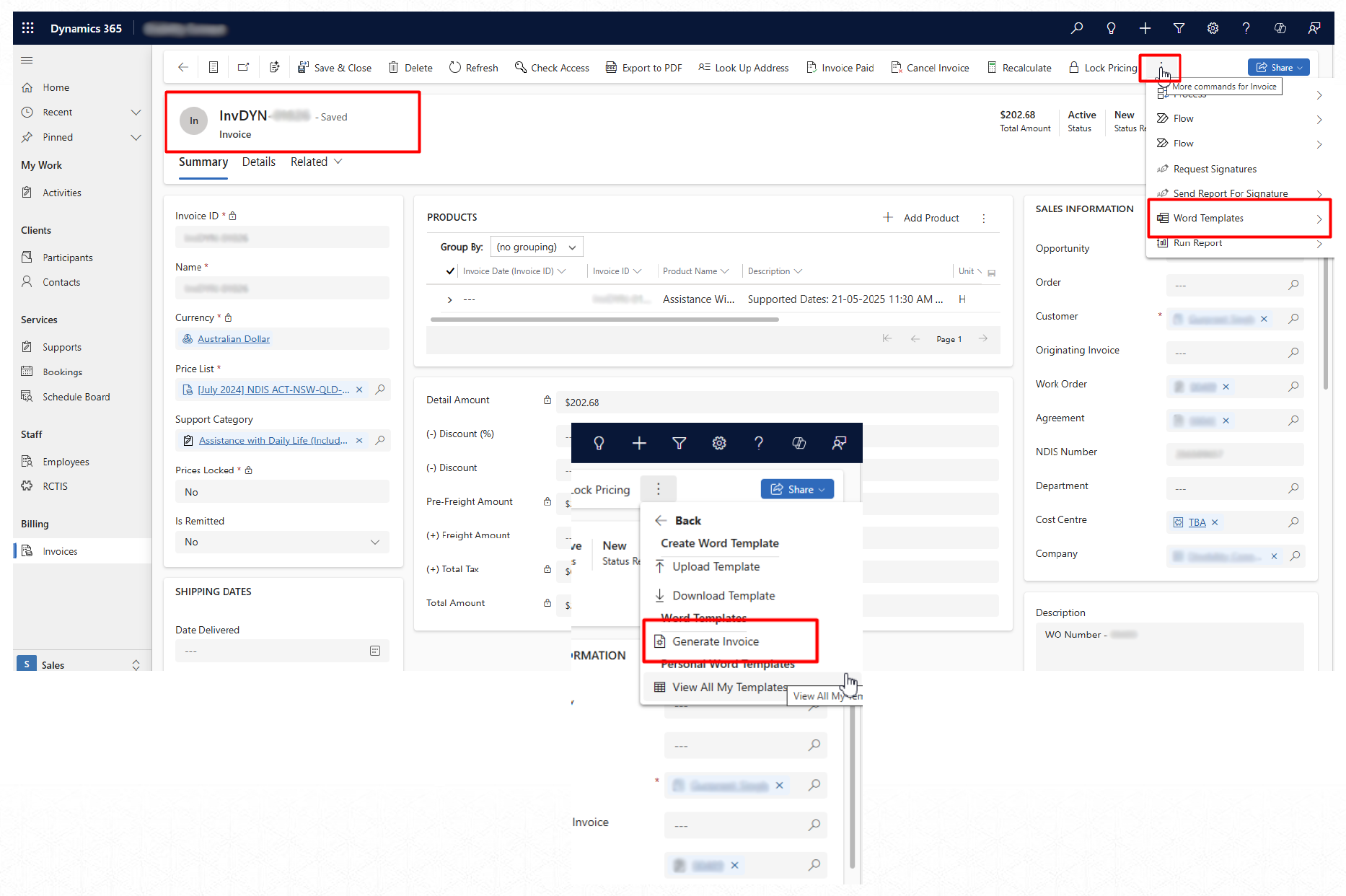
For Word Format Invoice, navigate to the WORD TEMPLATES on the Top ribbon — and then select the “Generate Invoice” option.
By doing so, a Word File version of the Invoice document will be downloaded to your system.