Microsoft Dynamics 365 NDIS SharePoint
SharePoint for NDIS Participant
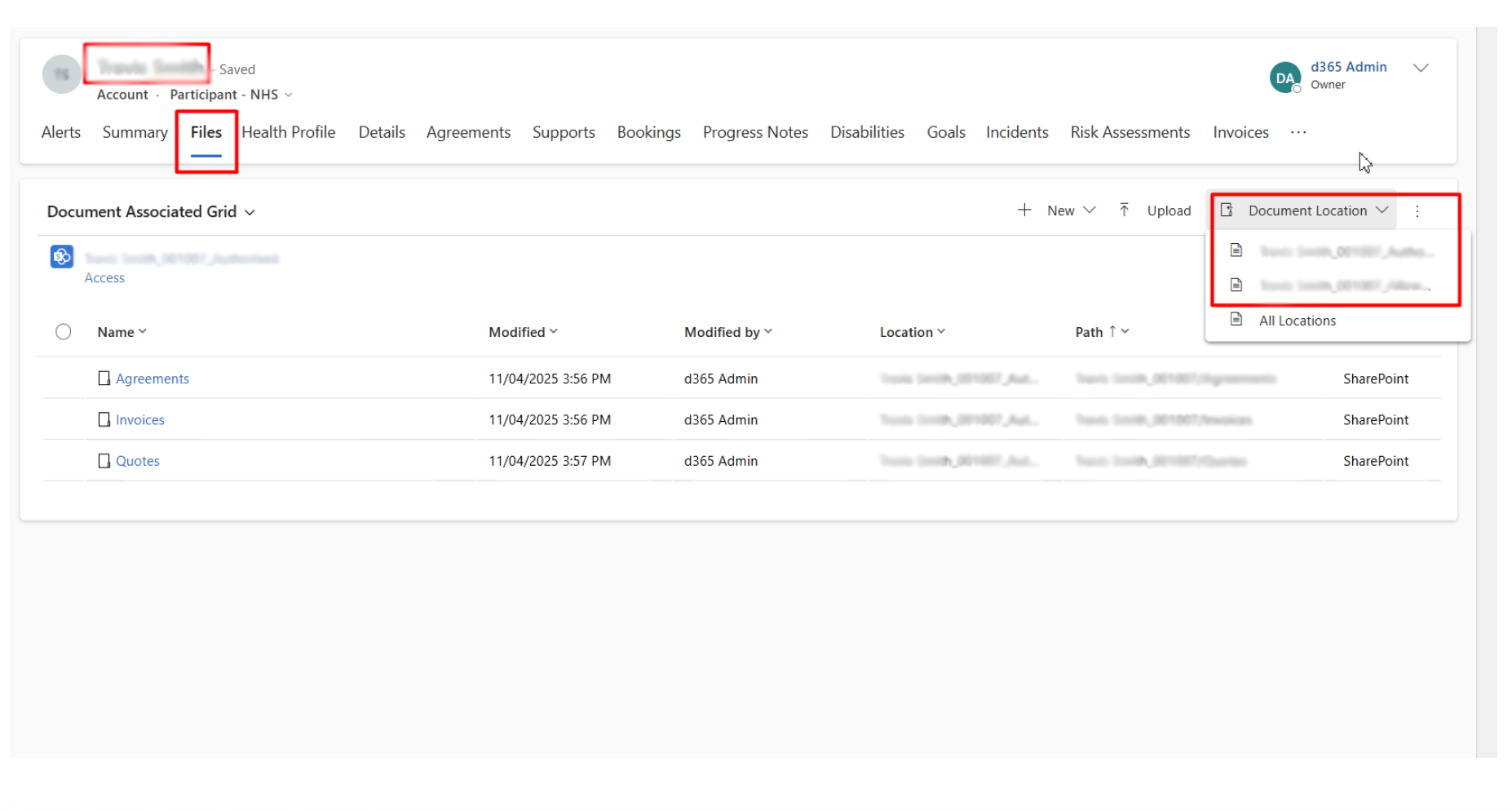
Each Participant record will have its own dedicated Folder on a SharePoint site which Is connected with Dynamics. The structure of the Folders is, for each Participant — you will see two folders:
-
Authorized Folder — For content that needs to be restricted.
-
Allowed Folder — For content that does not require any authorization.
DSW will access only the Allowed Folders.
These can be directly accessed via the Participant record as well as in Dynamics. Also, a user with access to both folders can toggle between the sections using the Document Locations as highlighted in the following screenshot:
Last updated on