Legal User Guide for Microsoft Dynamics 365
Legal Case Management Section
Financial Setup & Billing Types
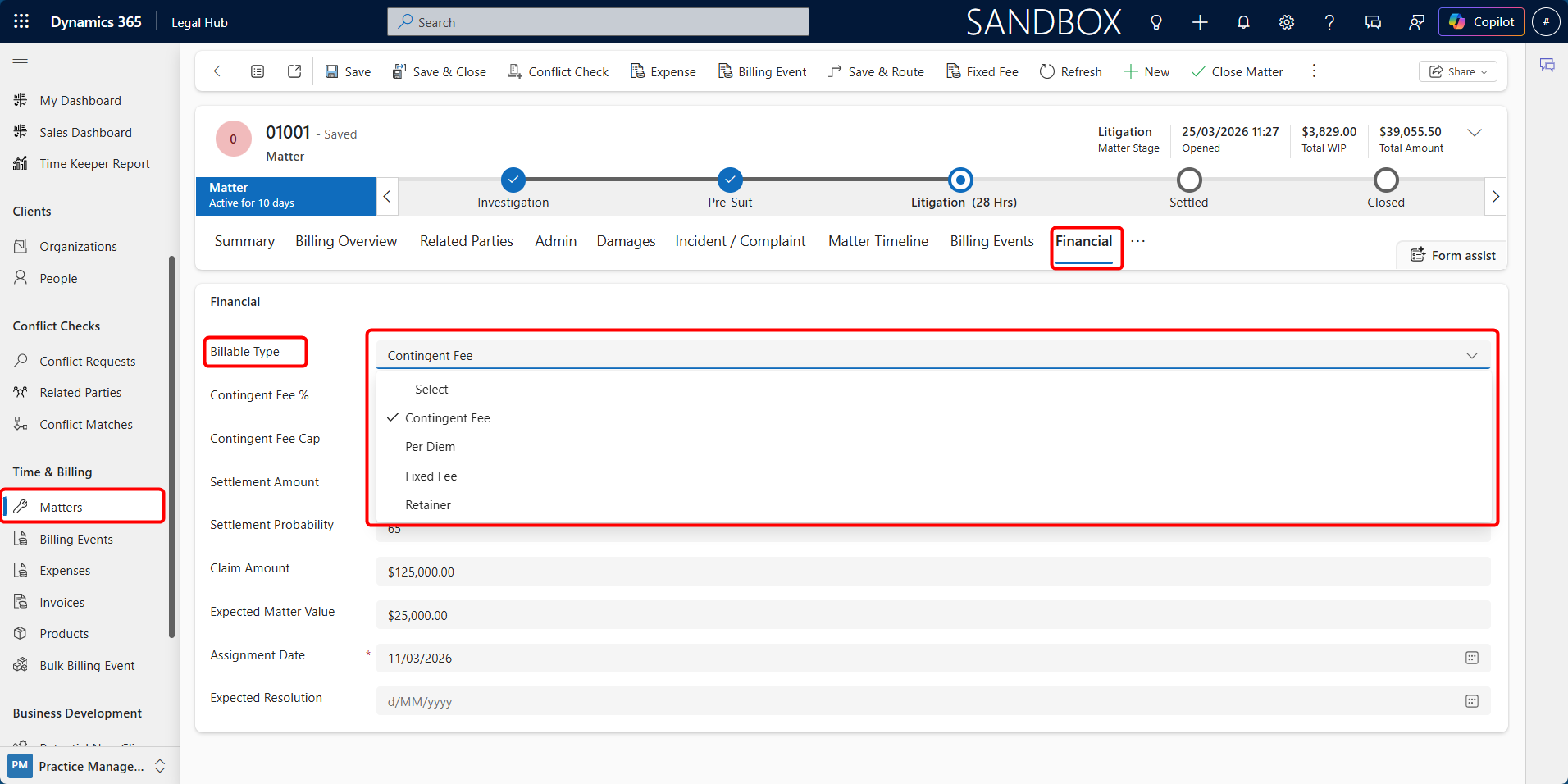
The Financial tab on the Matter record is used to define how the Matter will be billed. The selected Billable Type controls how fees are calculated, how billing events are created, how invoiceable items are generated, and how the Matter appears in billing dashboards.
D365 Legal supports the following billing types:
| Billing Type | How fees are charged | Invoice source |
|---|---|---|
| Per Diem (Time & Charges) | Hourly rate multiplied by time recorded | Billing events from time entries |
| Fixed Fee | Agreed flat fee paid in instalments | Fixed fee schedule instalments |
| Contingent Fee | Percentage of settlement or judgment | Settlement-based billing event |
| Retainer | Recurring fixed amount | Retainer or recurring billing events |
The Billable Type should be selected when opening or updating a Matter. It can be changed from the Financial tab, subject to firm process and system permissions.
Setting the Billing Type
To set or update the Billing Type:
-
Open the required Matter.
-
Select the Financial tab.
-
Locate the Billable Type field.
-
Select the appropriate billable type.
-
Complete any additional financial fields required for that billable type.
-
Click Save.
How Billable Type Affects the Matter
The selected Billable Type affects the Matter in several ways:
-
It determines which financial fields are relevant.
-
It controls how billing events are created.
-
It affects whether time entries drive invoicing.
-
It determines how the Matter becomes eligible for invoice processing.
-
It affects expected value, forecast value, and dashboard reporting.
For example:
-
In a *Per Diem (Time & Charges) Matter*, billable time entries usually drive billing.
-
In a Fixed Fee Matter, billing is driven by scheduled instalments.
-
In a Contingent Fee Matter, billing is driven by settlement or judgment outcome.
-
In a Retainer Matter, billing may be driven by recurring billing events or retainer rules.
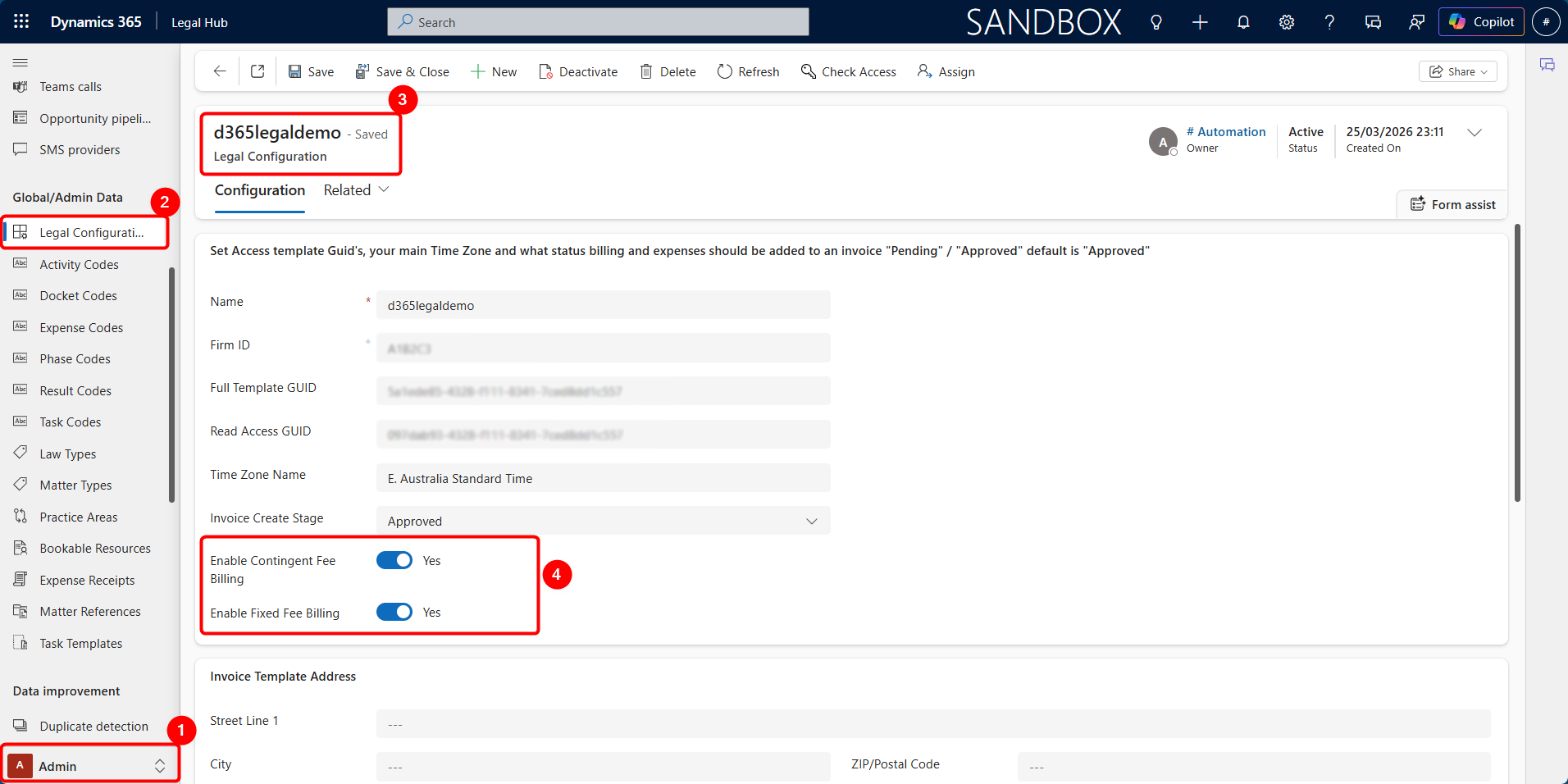
Legal Configuration
Fixed Fee and Contingent Fee billing can be enabled or disabled from the legal configuration/admin area. This allows the system to support forecasting without automatically generating billing events, where required.