Legal User Guide for Microsoft Dynamics 365
Legal Case Management Section
Matter Closure Rules
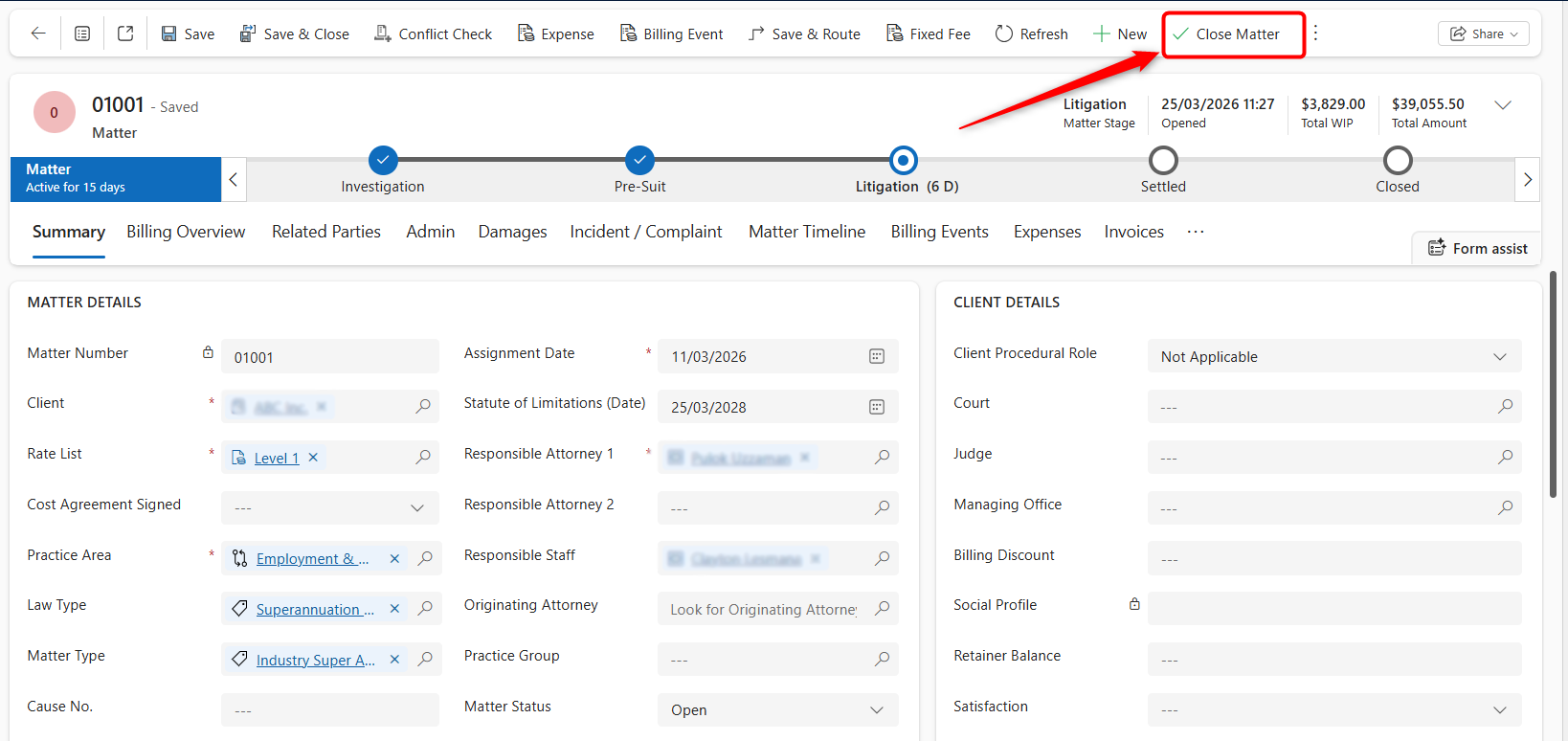
The Close Matter button is used when the legal work is complete and the Matter is ready to be closed.
Before closing a Matter, users should review the Matter’s billing, expenses, invoices, documents, and related financial records to confirm that there are no pending items that need to be actioned.
When Close Matter is selected, the system may check whether the Matter has outstanding items that prevent closure.
Before Closing a Matter
-
Open the required Matter.
-
Review the Billing Overview tab.
-
Check the Billing Events tab for pending or uninvoiced billing items.
-
Check the Expenses tab for pending or uninvoiced expenses.
-
Check the Invoices tab to confirm required invoices have been generated and reviewed.
-
For Fixed Fee Matters, review the Fixed Fee Schedule tab.
-
For Contingent Fee Matters, review the Financial and Billing Events tabs.
-
Click Close Matter from the command bar when the Matter is ready to be closed.
Closure Rules by Billable Type
| Billable Type | Closure check |
|---|---|
| Per Diem (Time & Charges) | Review pending billing events, expenses, and invoices before closing |
| Fixed Fee | Matter cannot be closed while fixed fee instalments remain in Scheduled status |
| Contingent Fee | Matter with a settlement amount cannot be closed unless a related contingent fee Billing Event exists |
| Retainer | Review retainer or recurring billing events before closing, where applicable |
Fixed Fee Closure Rule
A Fixed Fee Matter cannot be closed while any installments remain in Scheduled status.
To close the Matter, users must either:
-
Generate Billing Events and invoice the outstanding installments, or
-
Change installments that will not be billed to Cancelled.
Contingent Fee Closure Rule
A Contingent Fee Matter with a recorded Settlement Amount cannot be closed unless the Contingent Fee Billing Event exists.
If the Matter should be closed without a fee, for example if the claim was unsuccessful or withdrawn, users should either:
-
Clear the Settlement Amount, or
-
move the Matter to an appropriate non-settled stage before closing, where applicable.
Closing the Matter
To close a Matter:
-
Open the required Matter.
-
Confirm all required billing and financial checks are complete.
-
Click Close Matter from the command bar.
-
Follow any prompts shown by the system.
-
Confirm the Matter has been closed.
If pending items exist, the system may display a warning and prevent the Matter from closing until the required items are resolved.