Legal User Guide for Microsoft Dynamics 365
Legal Case Management Section
Related Parties
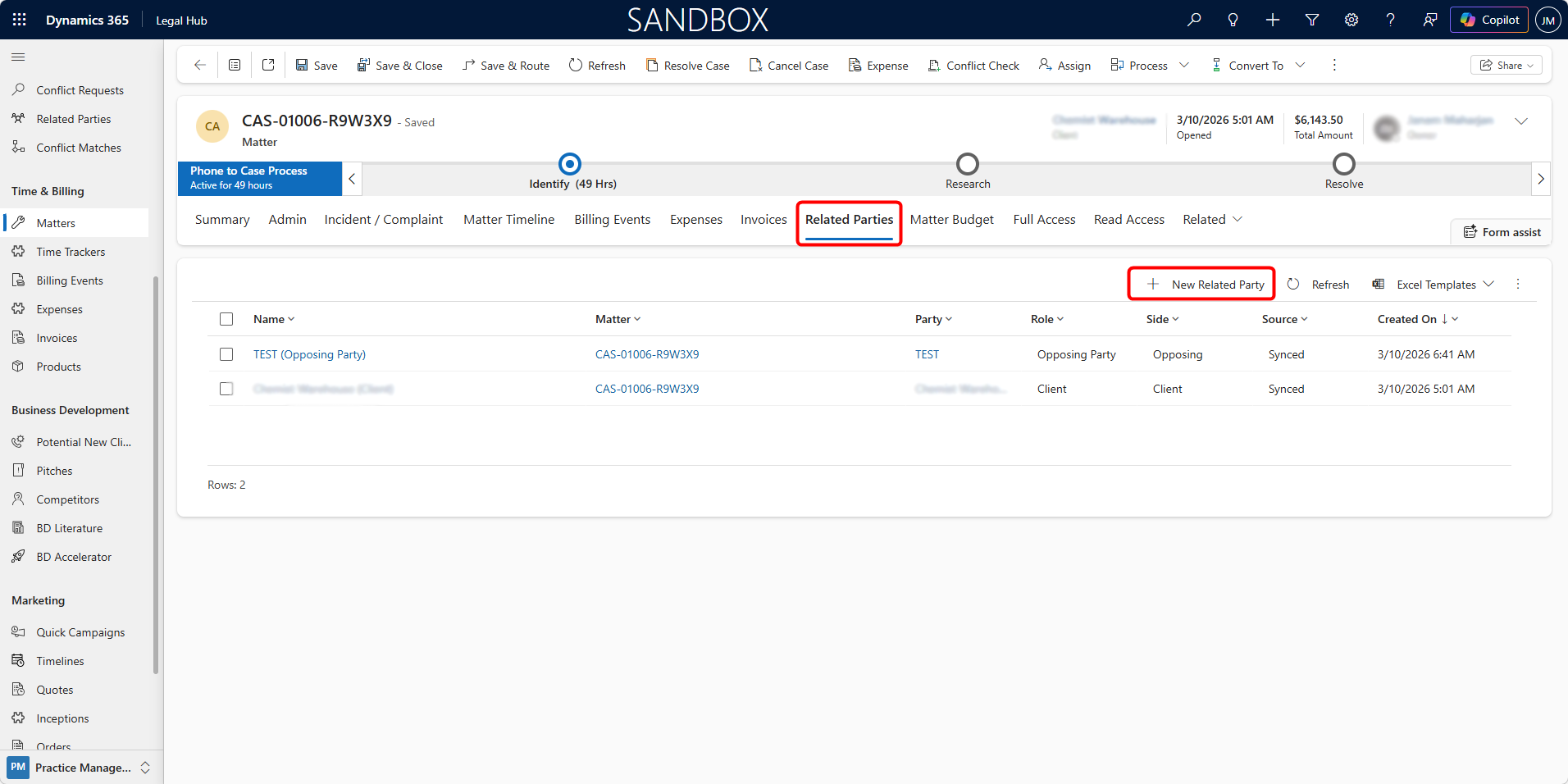
The Related Parties tab provides a structured view of all individuals and organisations associated with the Matter.
This ensures full visibility of:
-
Client(s)
-
Opposing Party
-
Defendants / Plaintiffs
-
Other stakeholders linked to the case
Viewing Related Parties
Under the Related Parties tab, you will see a grid displaying
-
Name
-
Matter
-
Party
-
Role (e.g., Client, Opposing Party)
-
Side (Client / Opposing)
-
Source (e.g., Synced / Manual), and
-
Created On.
This gives a clear legal relationship structure for the Matter.
Adding a New Related Party
To add a new participant:
-
Click + New Related Party.
-
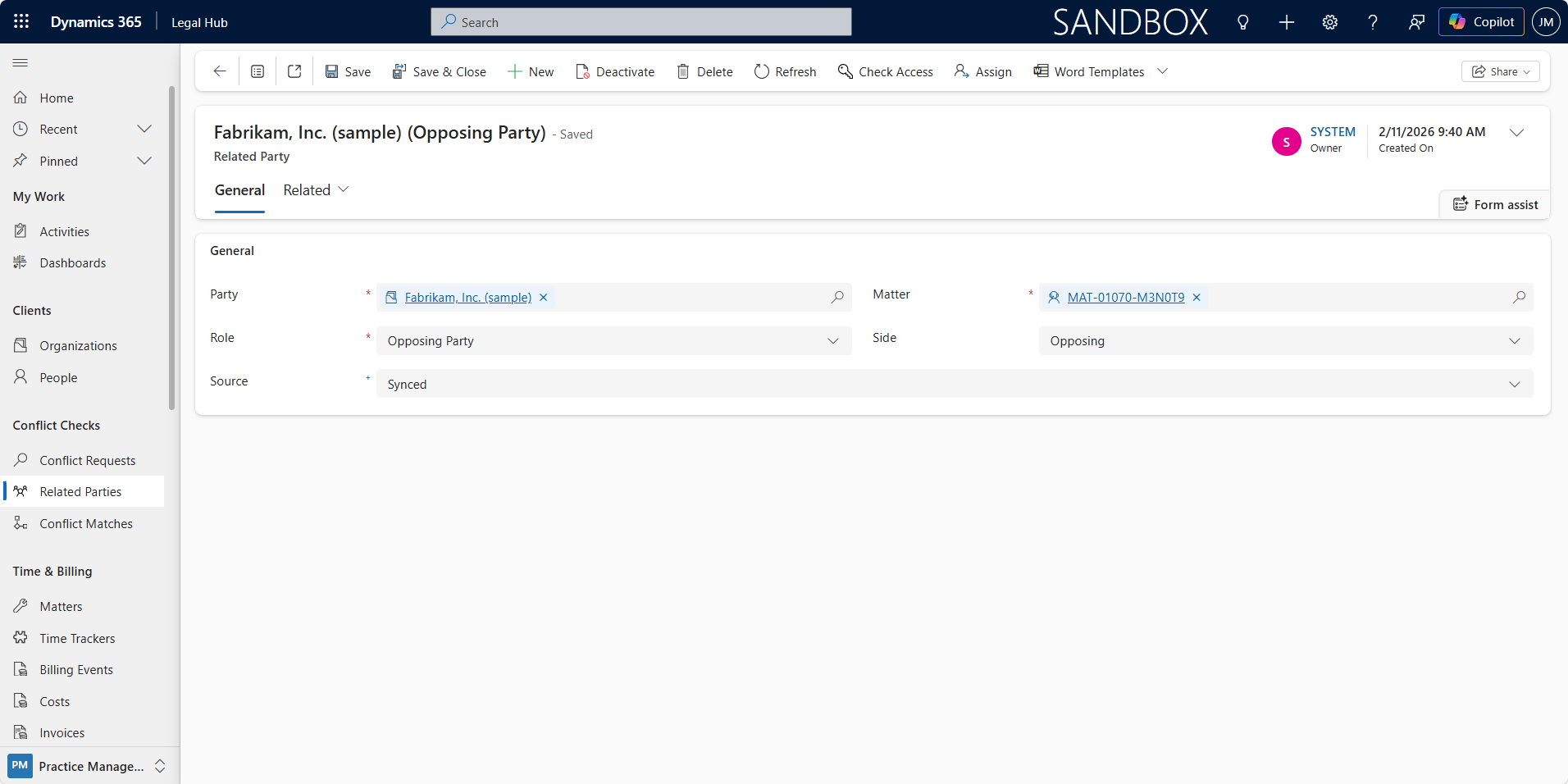
Select the Party (Account or Contact).
-
Choose the Role (e.g., Client, Opposing Party, Witness, etc.).
-
Set the appropriate Side (Client or Opposing).
-
Save the participant.
The Related Party record links the person/organisation directly to the Matter.