Purchase and Payables Basic User Training Guide for Dynamics 365 Business Central
Purchase Credit and Returns
Purchase Return Orders are created for returns to vendor, and these offset purchase invoices when posted.
Credit Memos can also be created to offset the original purchase invoices. The invoices must not be paid for the credit memo to be applied.
Full Return Credit (Unsettled Purchase Invoice)
Once the Purchase Invoice is posted, Purchase Return Credit can be processed by correcting the Posted Purchase Invoice in full.
-
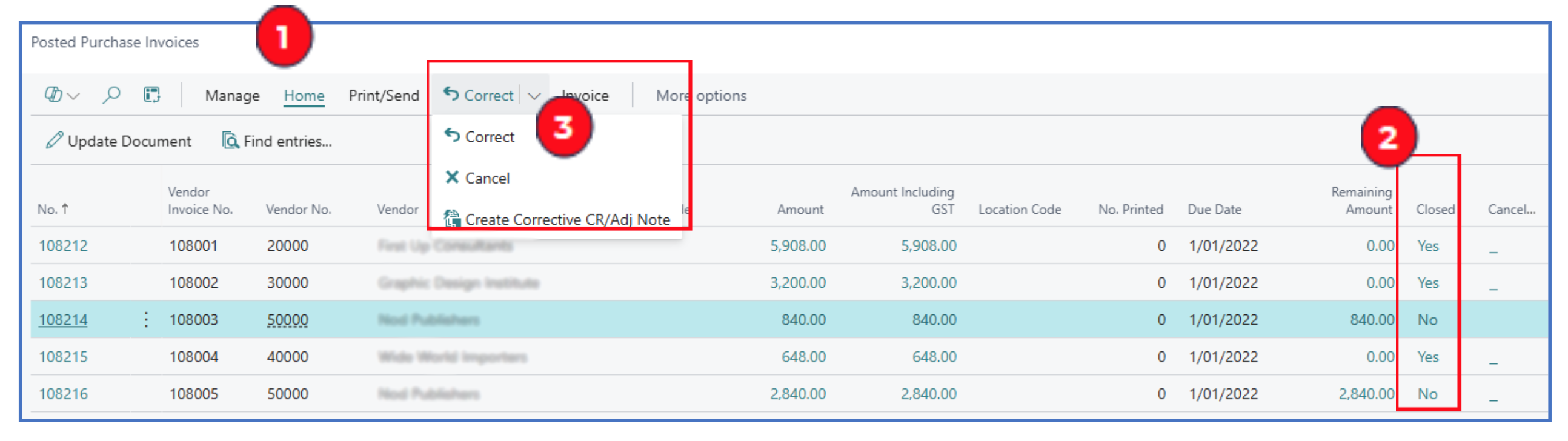
Navigate to **Posted Purchase Invoices” list page.
-
Invoices that can be corrected are marked with No in the Closed status column. Identify and highlight the vendor and invoice to correct.
-
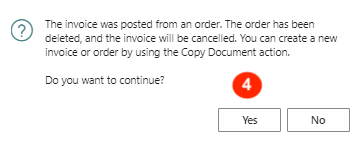
From the menu option, select Correct > Correct and a prompt will display to confirm that the order and invoice will be cancelled, and a credit memo applied.
-
Continue with Yes to auto-create the offsetting credit memo and cancelling the invoice.
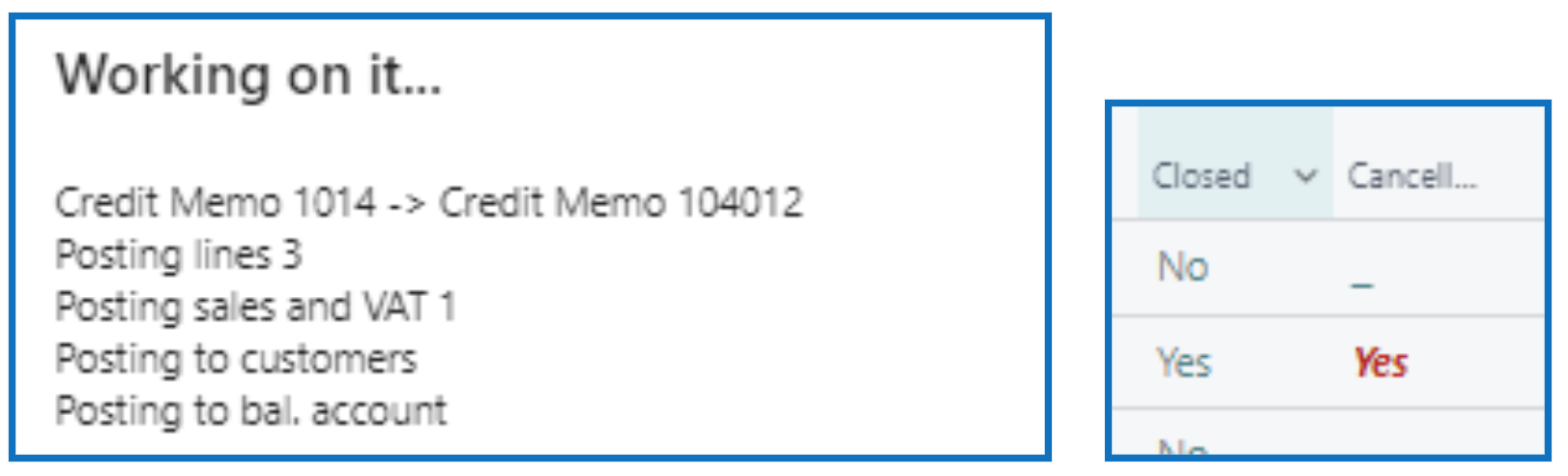
When completed, the invoice will have a closed and cancelled status, and the remaining amount will be $0 (i.e. no balance owing). The new Credit Memo will be created and posted with reference to the cancelled invoice.
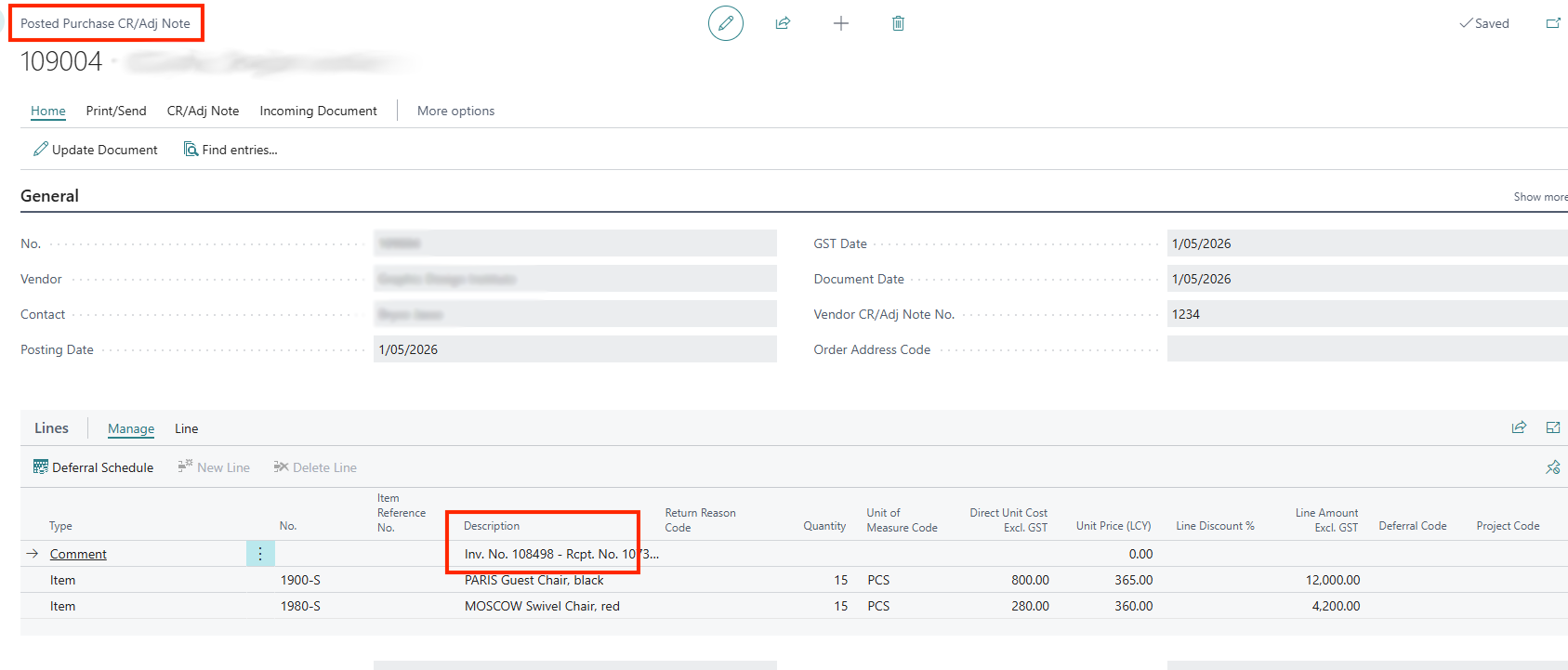
Example:
Partial Return Credit
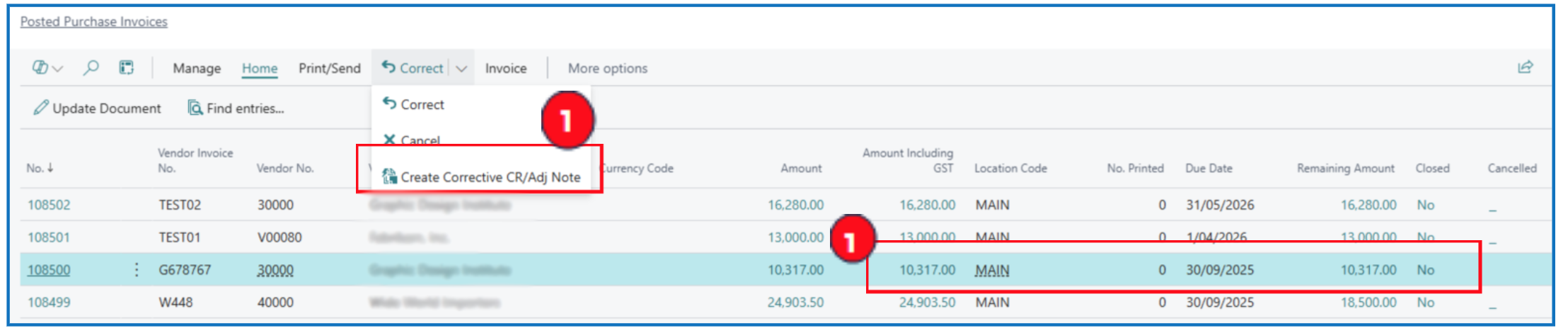
If a partial return is required, use the menu option Correct > Create Corrective CR/Adj Note.
-
The Purchase Invoice is unsettled (remaining amount = amount including GST). Using the Create Corrective Credit Memo option on the selected Purchase Invoice will offset the invoice and create a new Credit Memo.
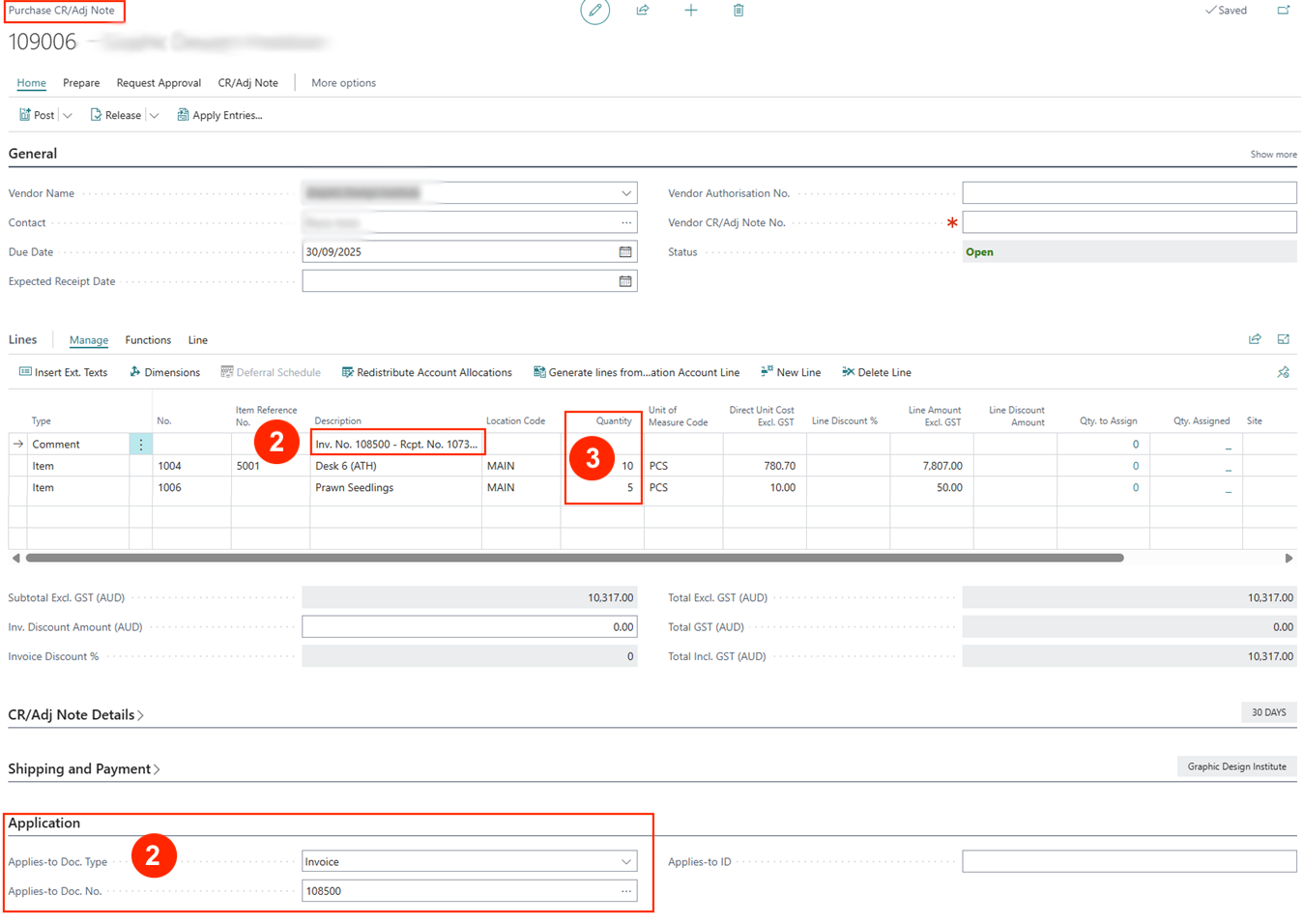
The new credit memo copies all purchase order lines and quantities.
Open the new Credit Memo and adjust the quantities to credit (or remove purchase lines for items purchased and not returned) according to the partial return.
Example:
-
The applied-to invoice should default in the fields Applies-to Doc. Type and Applies-to Doc. No (The invoice no. reference is also stated in the “Comment” line in the FastTab).
NB: If these 2 fields are missing the invoice reference, select the correct invoice reference for the fields.
-
After updating the quantities to return i.e. items to be credited (partially) against the posted purchase invoice, Post the credit memo and print.
Written By:
Peter Loo
Team Leader, Business Central
Connect on LinkedIn